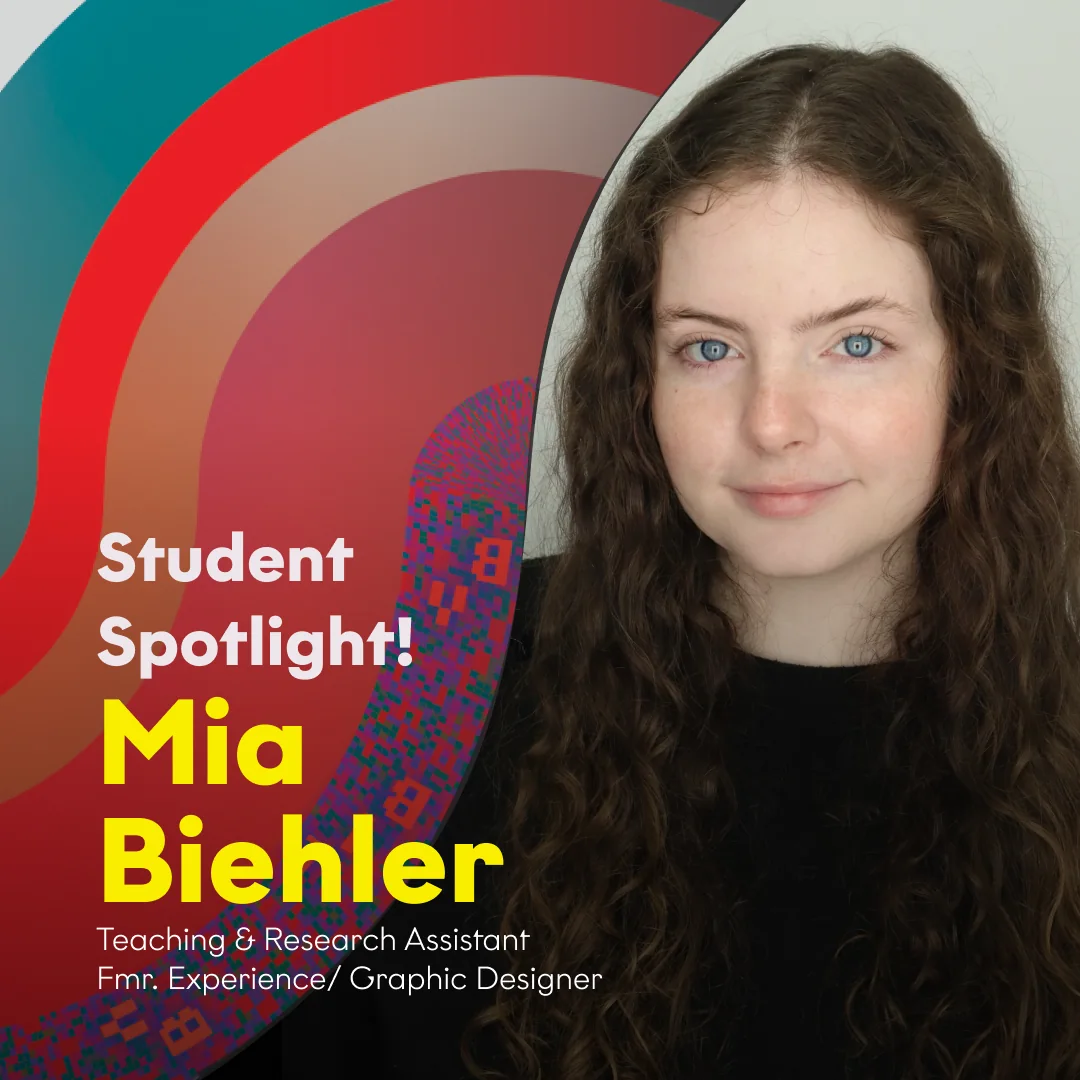
I’m a graduate student at NC State University studying Graphic and Experience Design. I have a bachelor’s degree in GXD and a minor in psychology. My projects often explore where technology and design meet, like AI’s role in complex workflows that put human judgment and analytic reasoning first.
Thesis
My thesis researches how AI can support learning and grow analytical reasoning skills, helping young, developing users build their own thought processes and voice as AI tools become more common.
How I work
I ground my ideas within theory and user research, conducting interviews and literature reviews. Then I build a design system and use Claude Code and MCP connections to prototype quickly, so I can move fast into usability testing and final product refinement.
UX Research · Enterprise Design · Human–AI Teaming
In this Department of Defense sponsored project, we partnered with the Laboratory for Analytic Sciences to reimagine tiered reporting, the process of tailoring intelligence to audiences based on their needs, expertise, and security levels. Our goal was to design an AI-augmented platform that generates versions for multiple classification tiers while keeping the analyst an active participant in the process.
How might the design of an interface automate the tiered reporting process, so that reporters can more efficiently and knowledgeably team with AI to sanitize and deliver sensitive information across classified tiers?
AI-Human Teaming
Rather than asking which analyst tasks a machine could take over, we asked what new work analysts could do with AI as a partner.
What might AI–human teaming look like in the future?
Automation concentrates value with whoever owns the machines, while augmentation creates new capabilities that can be utilized in AI-human teaming.
We framed the project around amplification rather than automation: the goal was the future workflow for analysts, not replacing them in the process.
Figure adapted from Brynjolfsson (2022), The Turing Trap.
Project Launch
We began the project by meeting with intelligence analysts, who introduced us to the sanitization and tiered reporting process.
01
Ambiguity
Knowing what can and cannot be included at each classification is an ambiguous process, one strengthened by years of reporting experience.
02
Policy Checking
Checking content against numerous policies is tedious and time-consuming, which makes it a strong opportunity for AI–human teaming.
03
Varied Workflows
Analysts and organizations each structure the reporting process differently, so tools must adapt to varied workflows.
Persona
Aisha
Senior Report Releaser
01Jordan draftsDrafter
02Marcus editsAnalytic editor
03 Our personaAisha releasesFinal check on classification, policy, and audience
04Raymond signs offSenior reporting authority
→Send off to Customers
About
A Senior Report Releaser with eight years of experience, and the last set of eyes before national security intelligence goes out.
Goals
Better foresight into her reporting queue, and every tiered report correctly classified and tailored to its customers.
Motivations
Accuracy over speed. One minor error could expose a source and erode trust, and leaders rely on her for high-stakes decisions.
User Interviews
We interviewed senior report releasers to understand how a release really happens and to test our first concepts.
I would a thousand times rather pick up the phone to a partner. I will bust the timeline any day over releasing information I’m not a hundred percent sure is correct.
Senior report releaser
Releasers are recipient focused and will always choose accuracy over efficiency.
Pain Points
Changes aren’t tracked
Edits between revisions aren’t tracked, so releasers reread whole reports to find what changed.
Tiers aren’t connected
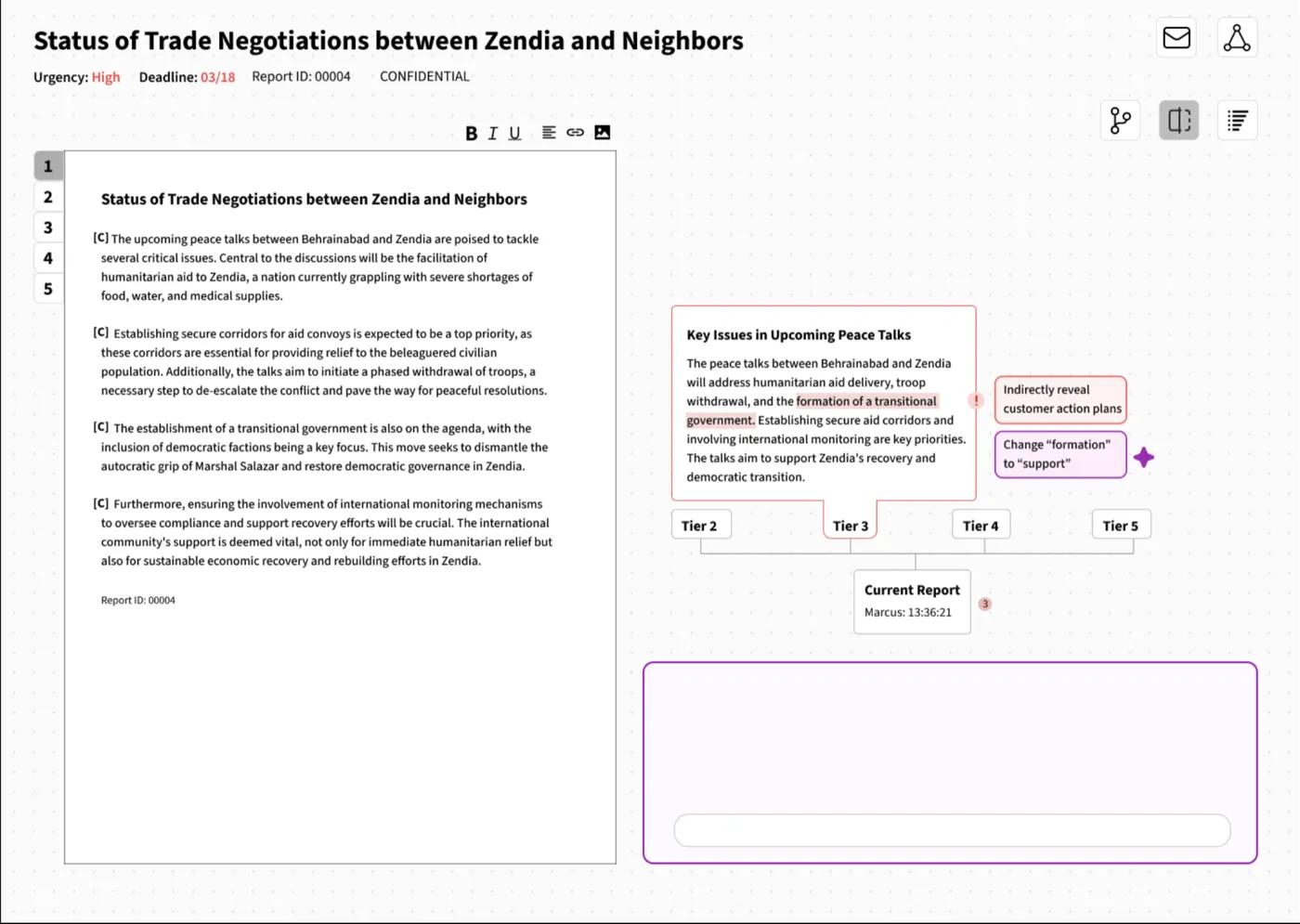
Tiers are independent documents, so releasers have to check line by line that the analytic intent is consistent.
Policy isn’t centralized
Policy guidance isn’t in one place, so releasers lean on experience, past reports and senior staff.
Coordination is external
External approvals happen in inboxes and phone calls, outside the workflow tool.
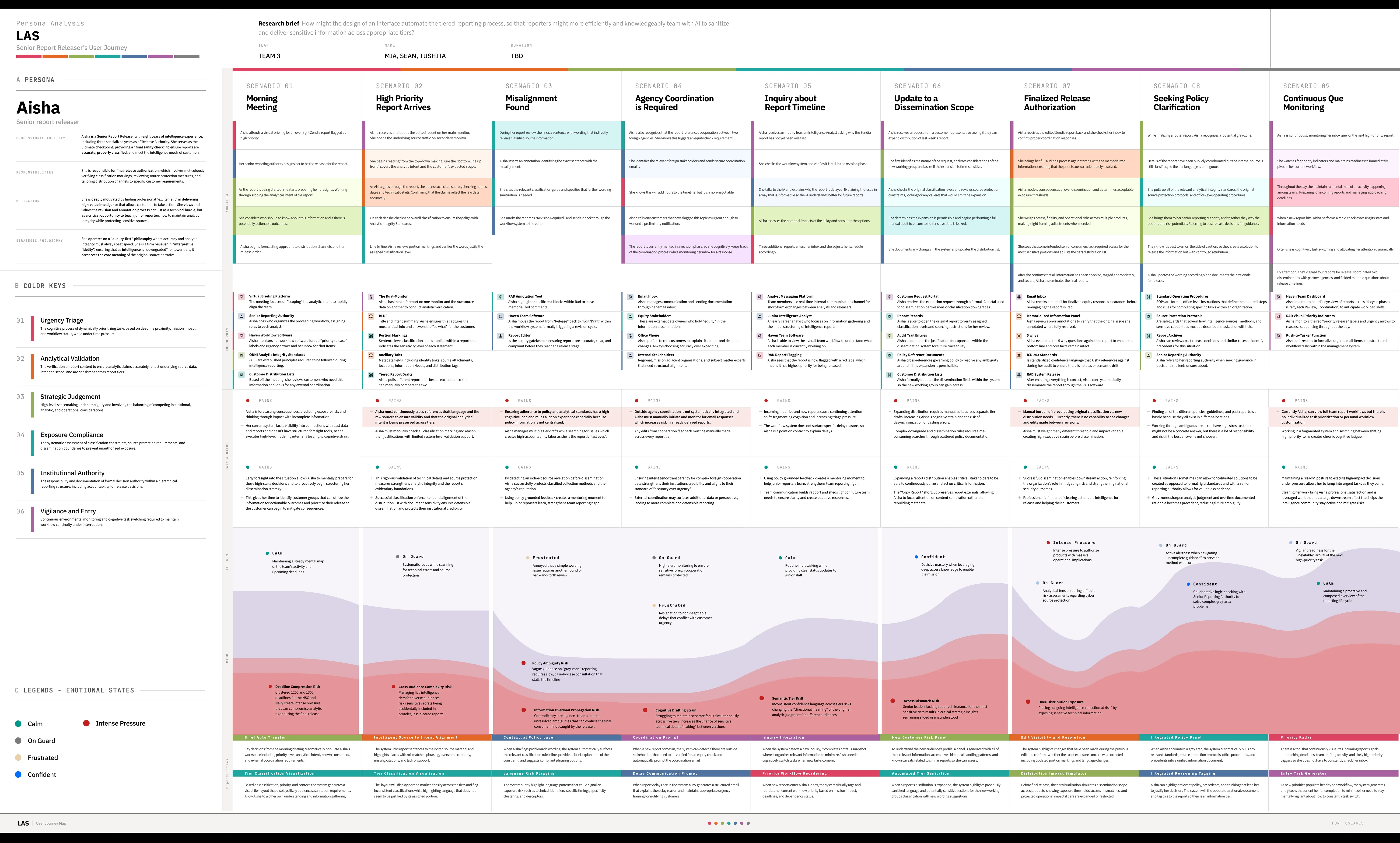
Interactive User Journey Map
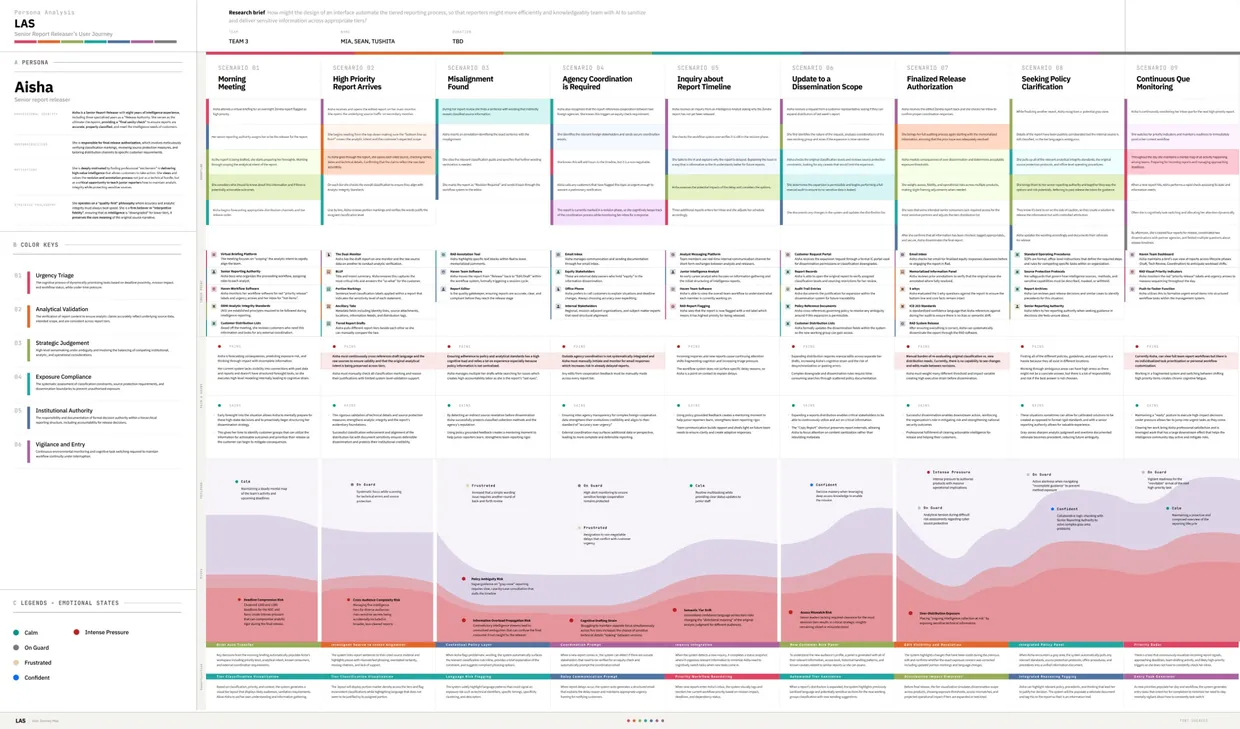
From our data, I isolated six daily cognitive processes that Aisha’s work demands, and color-coded every step, touchpoint, and design opportunity in the map by the process it draws on.
Urgency Triage
Dynamically prioritizing tasks by deadline proximity, mission impact, and workflow under time pressure.
5 phases · 4 touchpoints · 2 opportunities
Analytical Validation
Verifying that analytic claims reflect the source data and that intended scope stays consistent across tiers.
3 phases · 5 touchpoints · 2 opportunities
Strategic Judgment
High-level sensemaking under ambiguity, balancing institutional, analytic, and operational factors.
10 phases · 3 touchpoints · 3 opportunities
Exposure Compliance
Assessing classification constraints, source protection, and dissemination boundaries to prevent overexposure.
10 phases · 11 touchpoints · 5 opportunities
Institutional Authority
Holding formal decision authority in a hierarchical structure, including accountability for release.
9 phases · 8 touchpoints · 3 opportunities
Vigilance and Entry
Continuous monitoring and task switching to keep the workflow moving through interruptions.
From our user research, I created three early concept directions to test with reporters.
Pain pointKeeping analytical intent consistent across tiers, and not being able to see the edits that were made.
ConceptAI scans across tiers and surfaces where meaning or content has shifted.
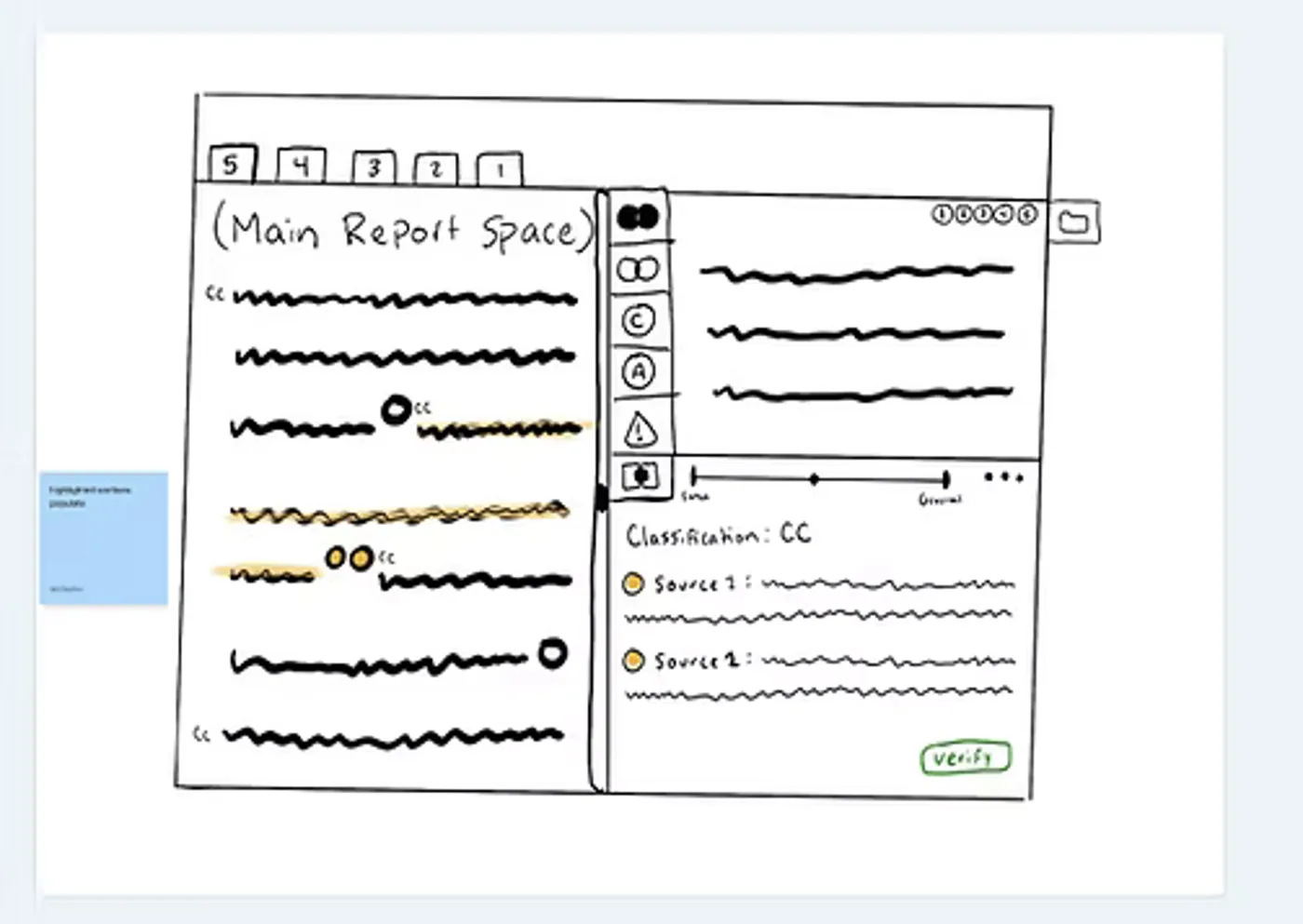
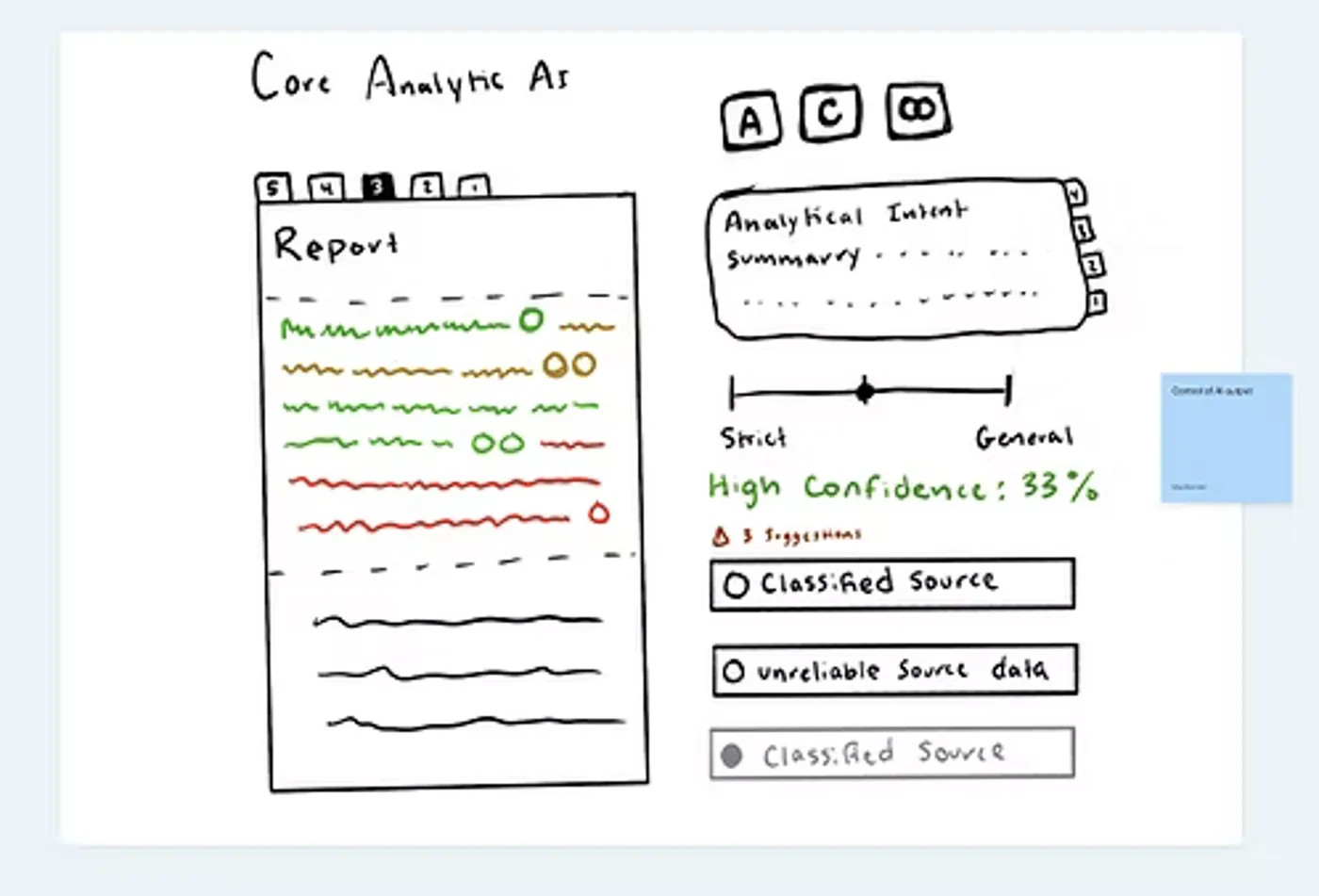
Multi-tier view
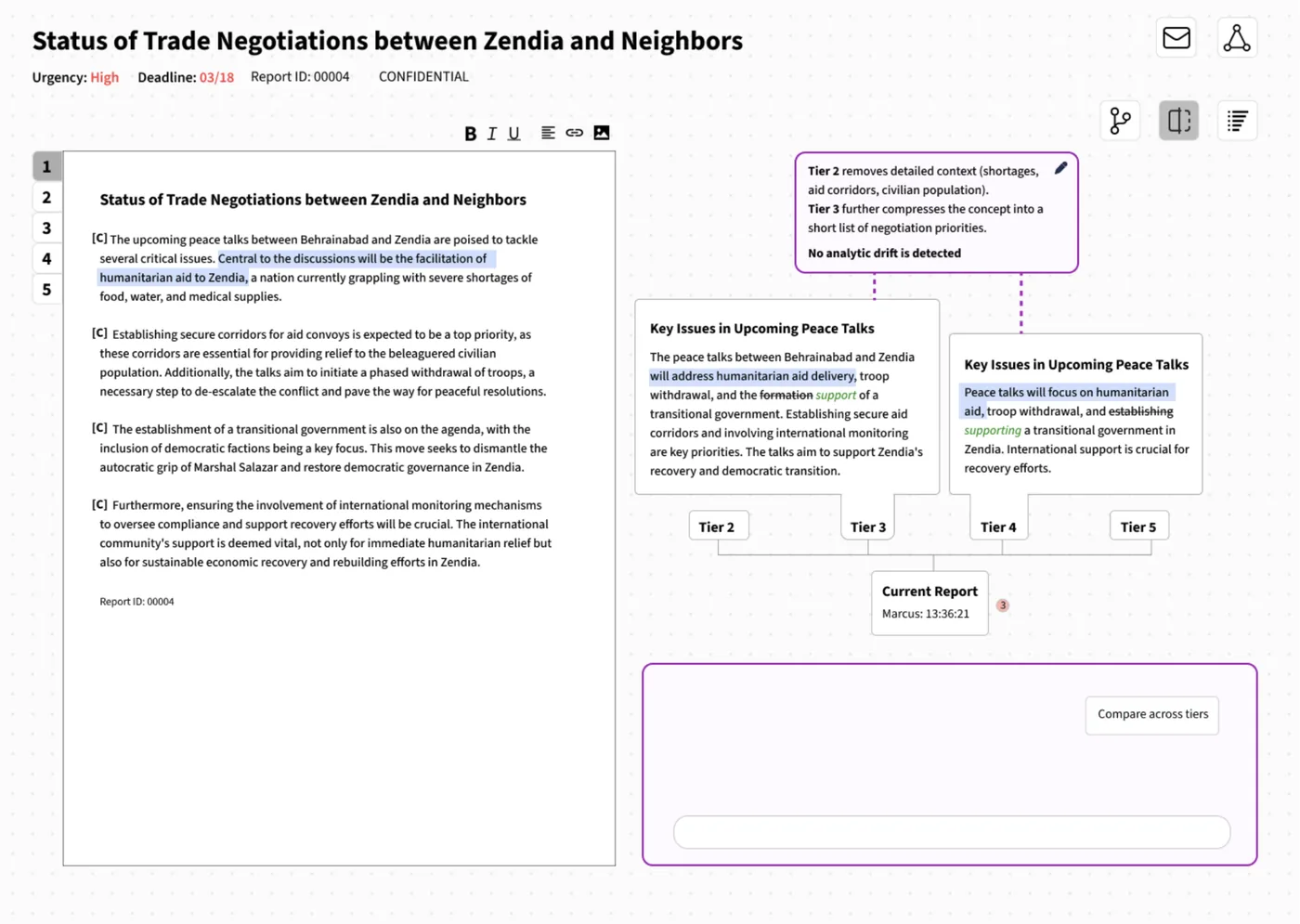
Tiers can be positioned beside each other, allowing related content to be visually connected. AI can scan to show areas of similarity or divergence.
AI Scanning
AI scans to check analytical intent, source links, and classification, creating a checklist for the analyst to verify each one.
Confidence scores
AI tags analytical intent across sections so it can be compared across tiers. Each tag has a confidence score that visually changes as the analyst verifies.
Pain pointKeeping track of where each report stands, and the communication it still needs.
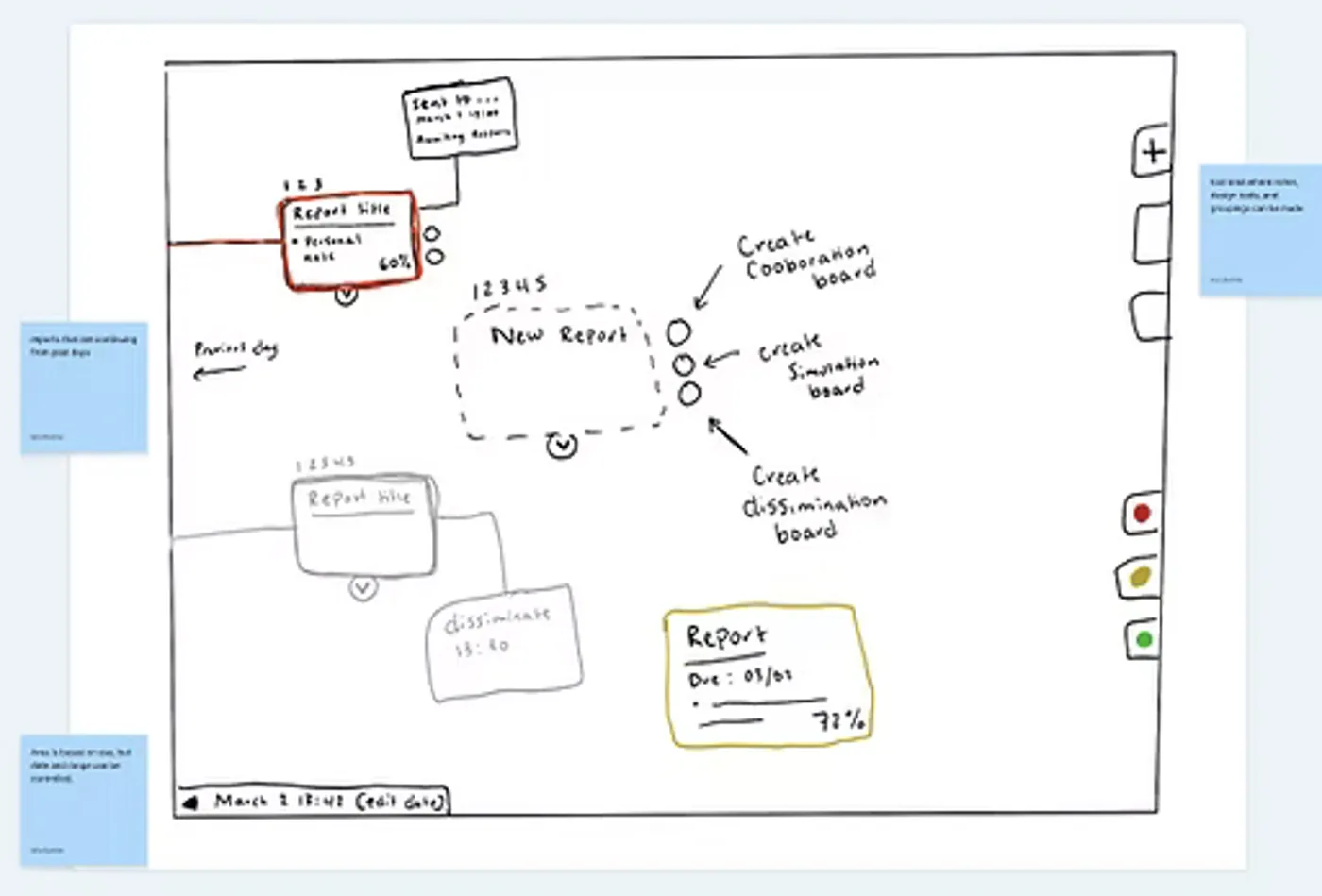
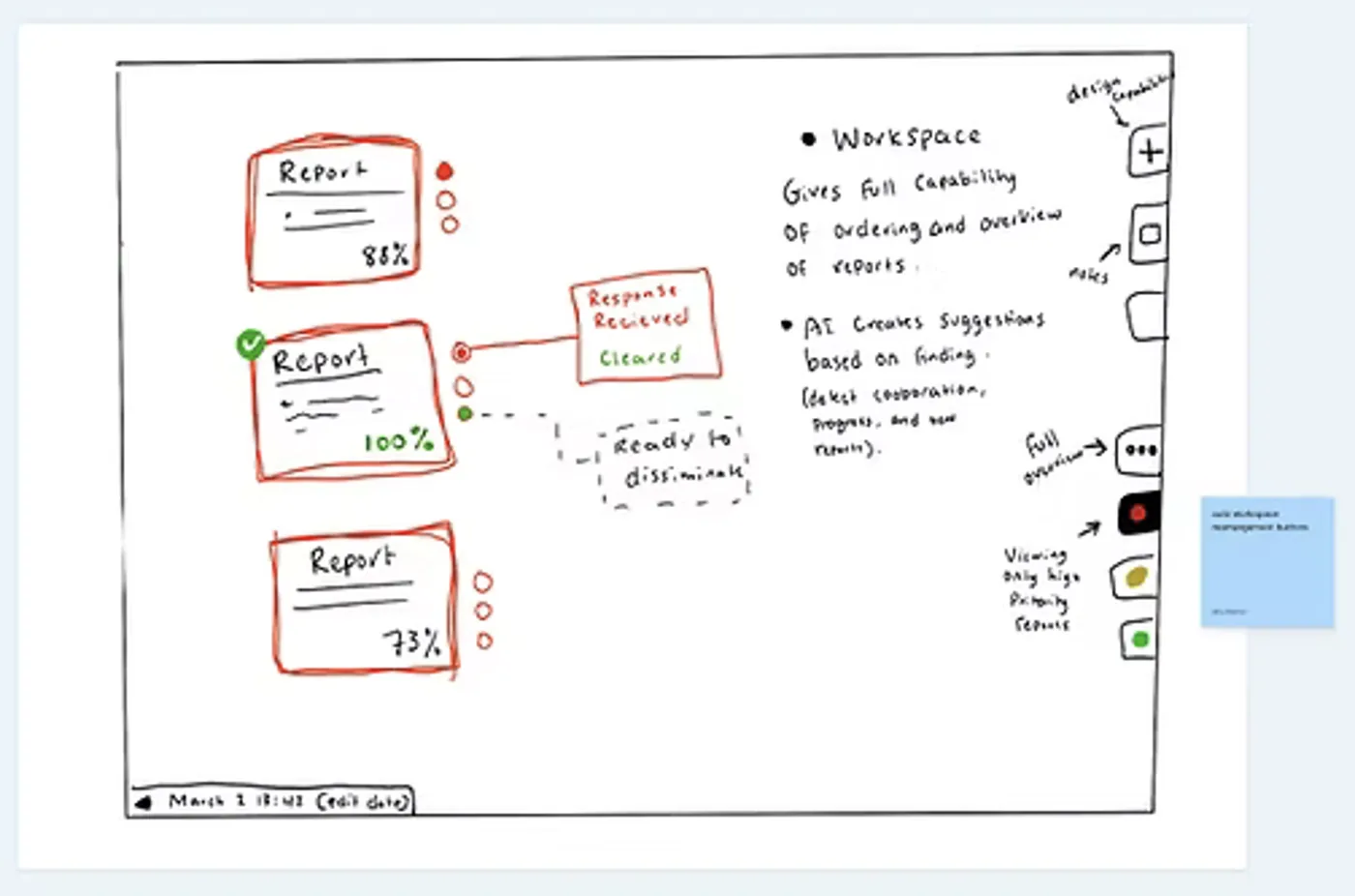
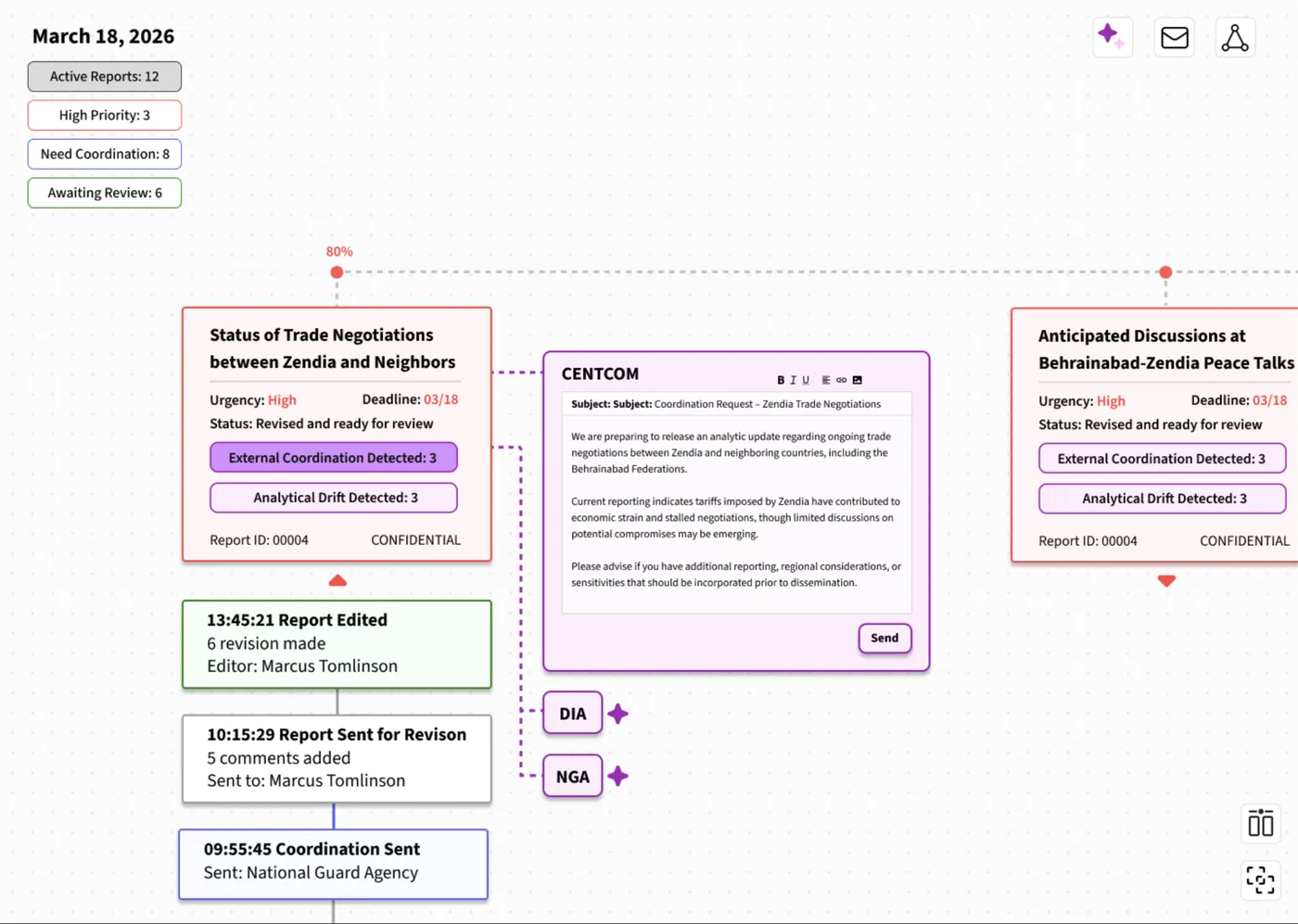
ConceptA node-based report web for receiving reports and following up: analysts see what comes in, rearrange it by priority, and manage the communication each report needs.
A free-form workspace
Analysts arrange reports into their own hierarchy. AI color-codes by deadline and priority (analysts can too), and populates the board as new reports arrive so the next steps can start.
Arranged by priority
The workspace rearranges by the selected priority. AI detects how complete each report is and suggests next steps, such as a needed corroboration, an analysis suggestion, or readiness to disseminate.
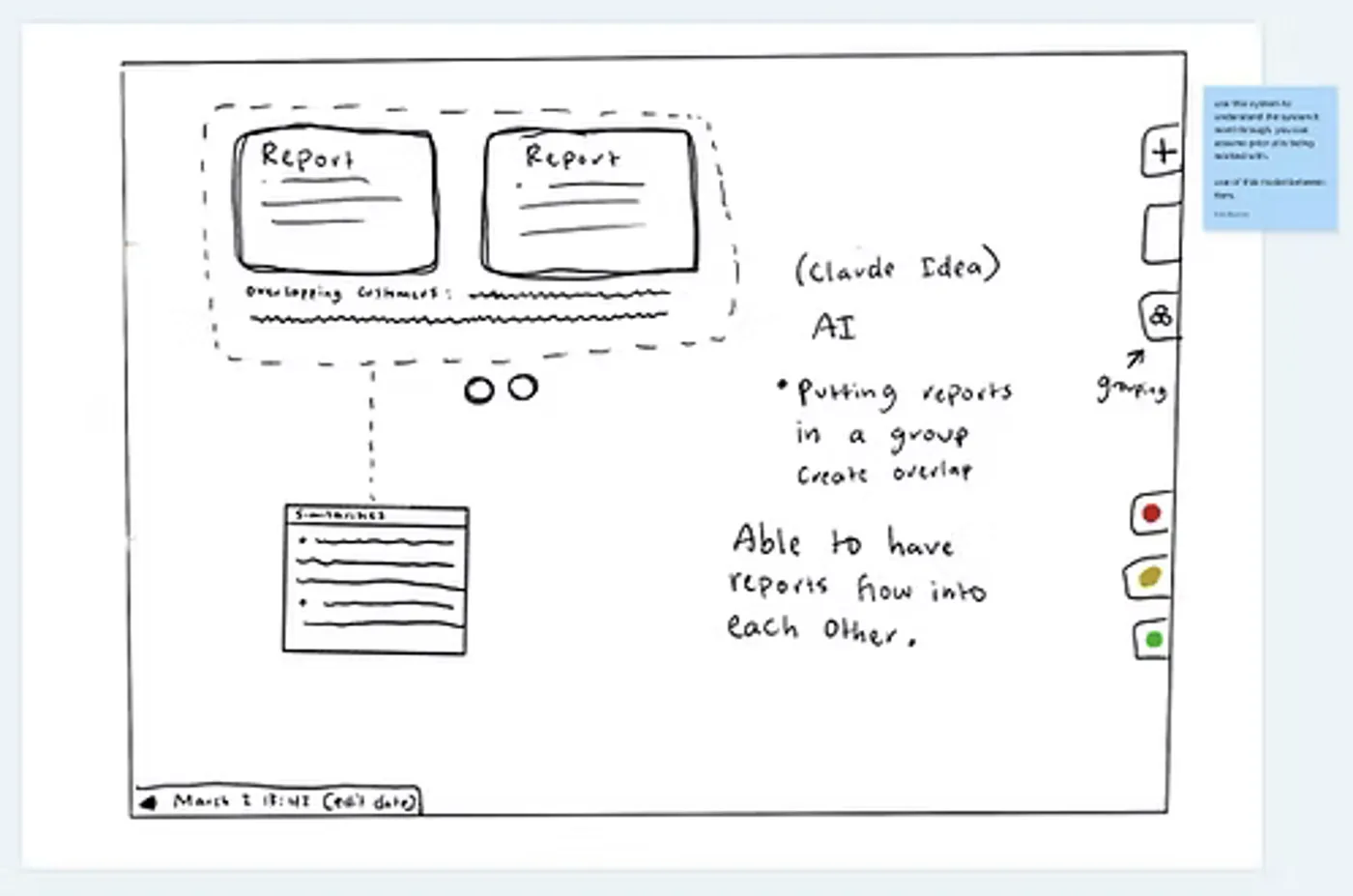
Reports that share
Grouped reports share information such as customers, sources, and similar content: a Hunch-like workspace where parameters on outflowing boxes generate new information.
Pain pointFollowing policy and analytical standards takes a high cognitive load and leans on the releaser’s experience, because policy information is not centralized.
ConceptRelated reports are grouped under one initiative, and AI connects them so relevant policy and standards appear in context.
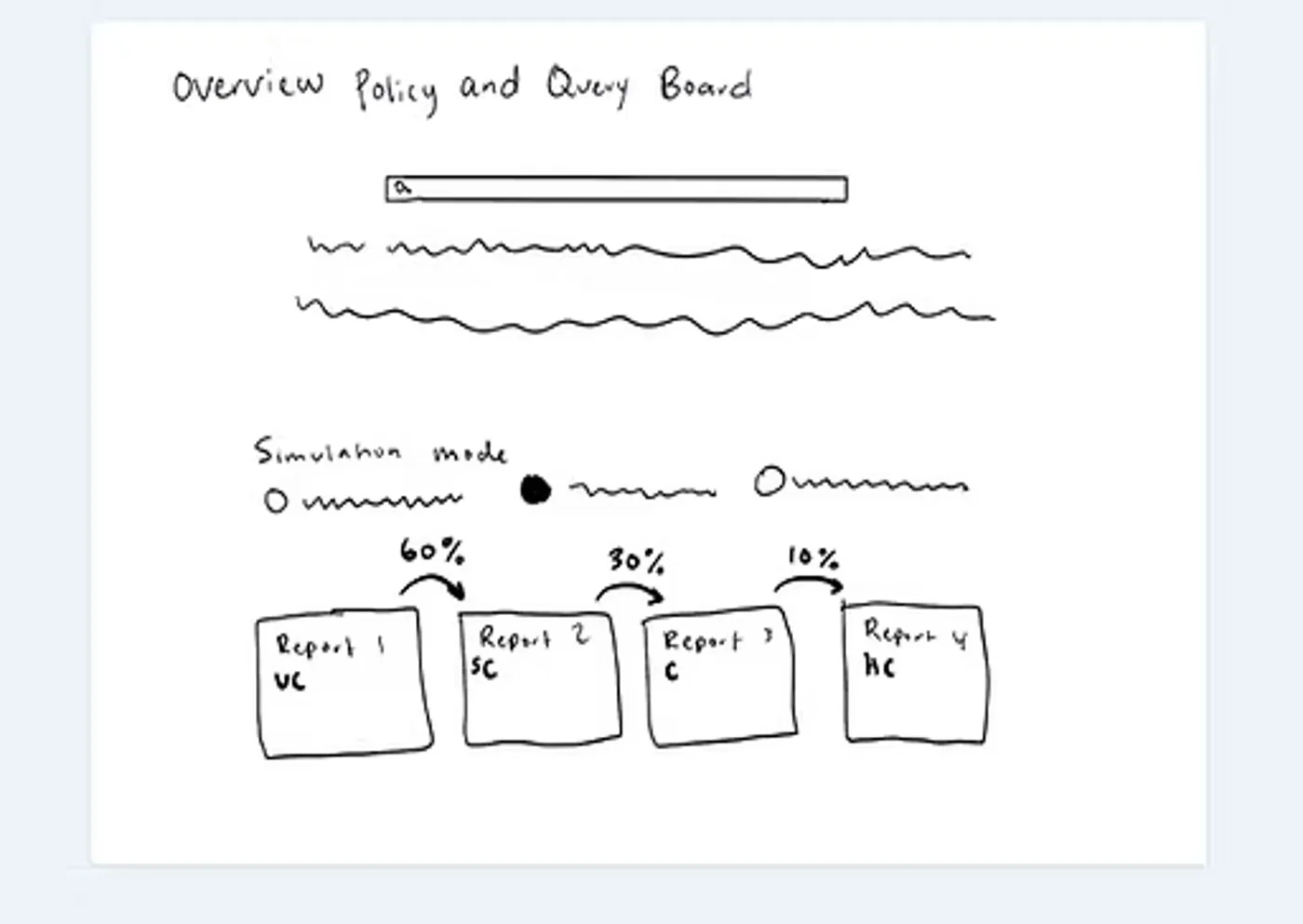
Policy query and simulation
Analysts query policy guidelines and apply them to the tiers in a simulation mode, showing how the tiers and dissemination would change.
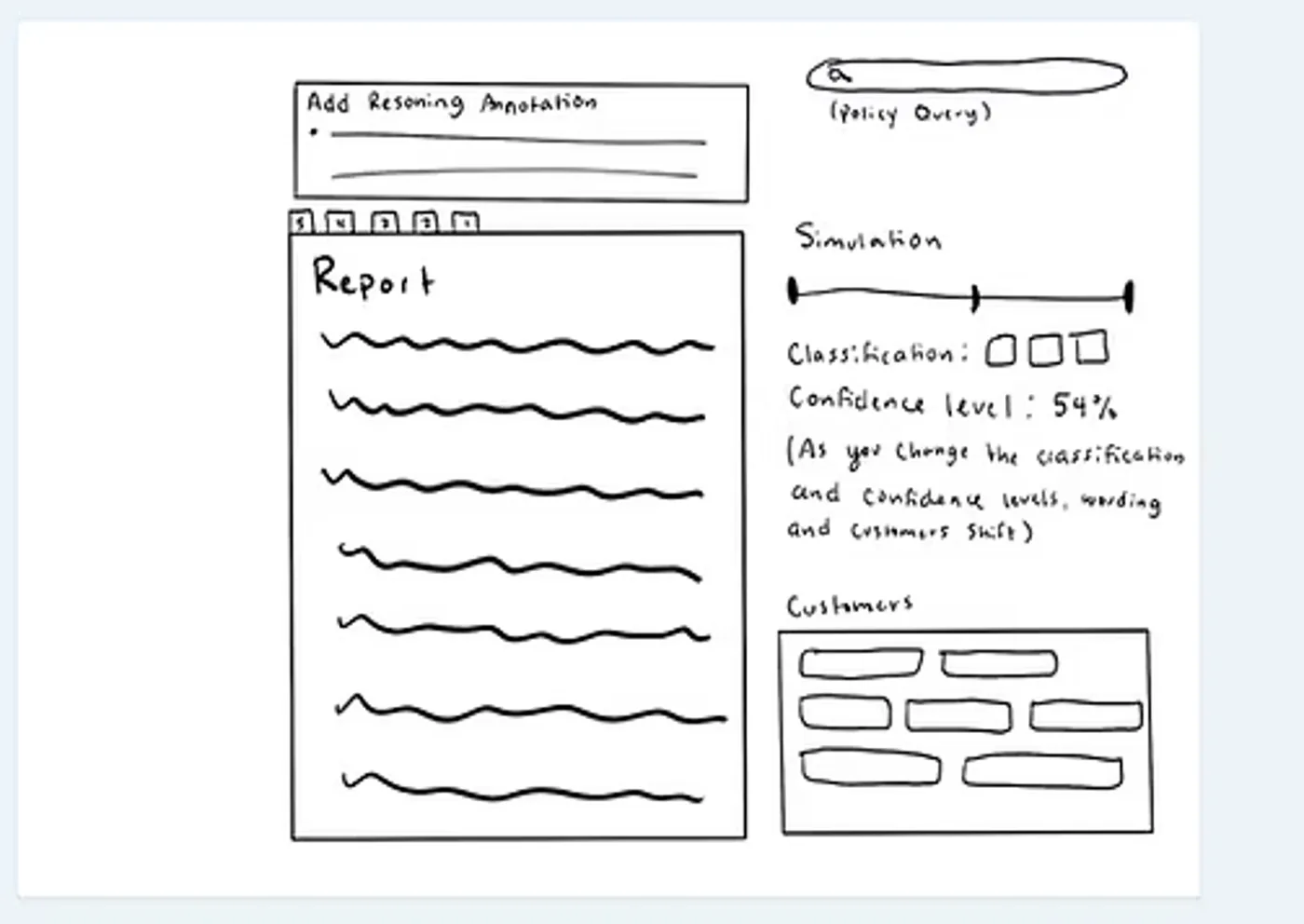
Simulation inside the report
Changing the classification generates new wording and updates the customers. Annotations can be added from the simulation, and wording adjusted.
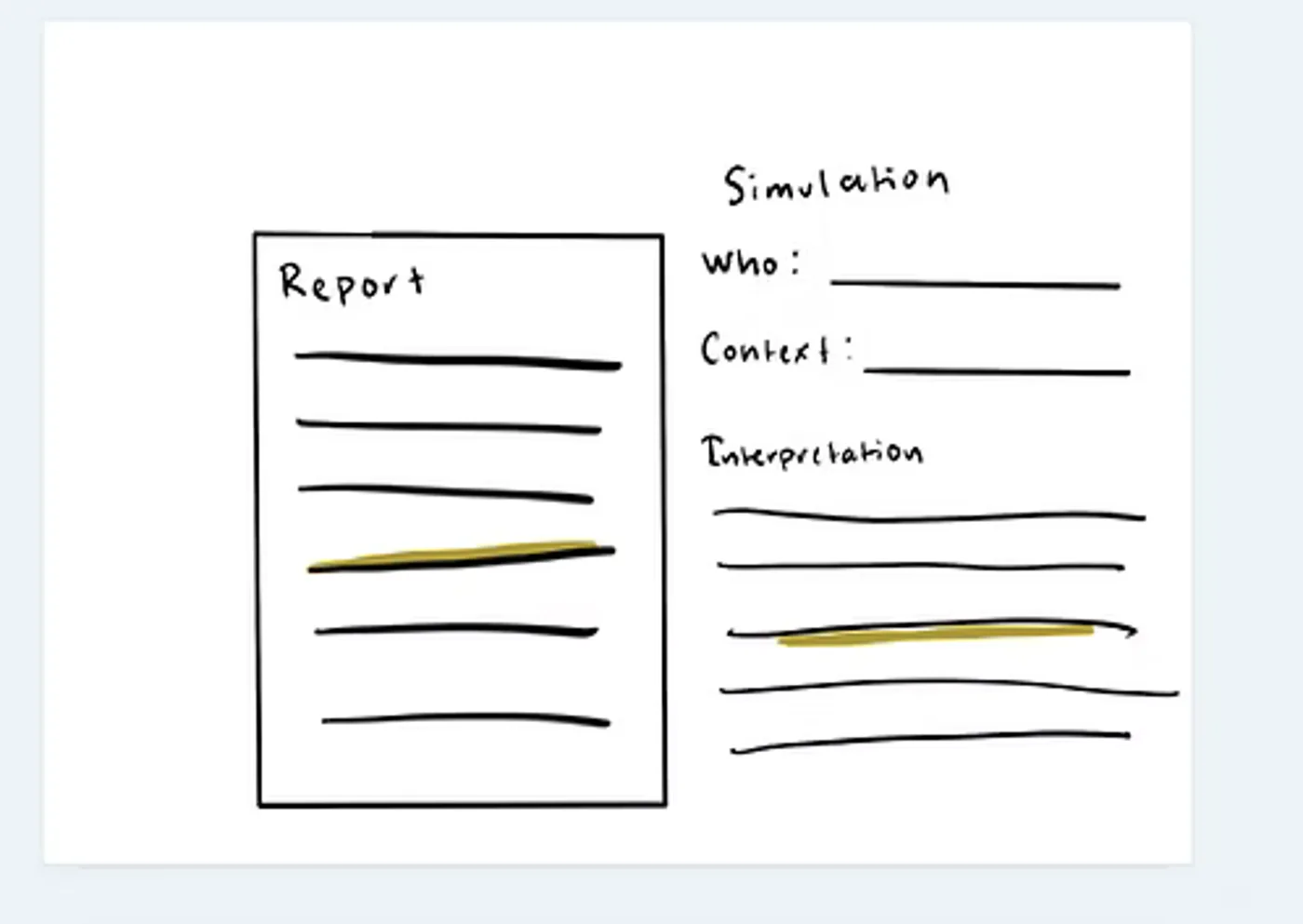
Simulated readers
The reporter enters a reader’s context and background. AI highlights passages that may be too classified for that perspective and clearance, and simulates how that person might interpret the report.
Hybrid Mapping
Taking all of our findings, we created hybrid maps that organized Aisha’s goals and steps alongside proposed interface screens and features.
User Flow
01 Orient
Opens main workspace
Chooses where to focus
Sorts by urgency
Filters by signal type
02 Coordinate
Sends report for coordination
Reviews expansion requests
03 Review
Previews report on hover
Opens report
Highlights and queries AI
04 Decide
Compares to other reports
Annotates
05 Release
Receives revisions back
Reopens report
Ready to disseminate
Submits
Six cognitive processes
Select a process to trace it through the map.
Aisha’s GoalsPhasesAisha’s StepsInterface InformedInterface aided context supports Aisha’s decision making process.Outside InterfaceShe decides through coworker and stakeholder discussions.Interface FeaturesScreens and cues. The AI badge marks an AI step.She acts in the interface: confirming, editing, annotating, or sending.
1 OrientLands in the workspace and works out what needs her firstFrom scenarios 09 and 01
2 CoordinateRuns alongside triageFrom scenario 04
3 ReviewChecks intent, tiers, and exposureFrom scenario 02
4 DecideWhere the AI stops and her judgment startsFrom scenarios 03 and 08
5 ReleasePicks the report back up and signs offFrom scenario 07
Any timeInterruptions that arrive in the workspaceFrom scenarios 05 and 06
Know where things stand
Decide what needs me first
Regroups the workspace around her focus
AISemantic Tags: AI builds tags that regroup reports around her focus with urgency and deadline markers
Picks the report to work and opens its tasks
AISmart Tasks: one click turns a report into linked tasks
Clear equities before anything goes out
Edits and sends the equity-check request
AIIntegrated Coordination: AI drafts the request to the stakeholders it detects
Reviews suggested recipients, adds or removes
AIAudience mapping: suggested recipients and missing stakeholders
Calls the customers who flagged it as urgent
Is the analysis sound?
Is it safe at every tier?
Checks the BLUF and claims against sources
AIHighlight a passage and query AI about its support
Compares meaning across tiers
AIAI Tier Comparison: how wording was sanitized at each tier
Multi-Tier View: tiers side by side, matches light up on hover
Confirms classification and portion markings
AIAI Review Flags: passages flagged for the customers of each tier
Decide what changes, and why
Own the call on record
Checks the flag’s premise: who is really in that audience
Dissemination grid: customers as rows, tiers as columns
Accepts or rejects the flag, with her reasoning
Reasoning is required to save a flag; it becomes the record and future training data
Weighs a gray zone against related reports and policy
Global Node View: related reports by shared intel, customer overlap, and policy tension
Settles it with her senior authority
Annotates the issue: problem, reasoning, next steps
Marks the report revision required
AIAnnotations become margin notes and tasks for the editor
Confirm every issue is resolved
Release to the right readers
Picks up the returned report, coordination cleared
Changed since her review; approvals in
Confirms each change resolves her annotation
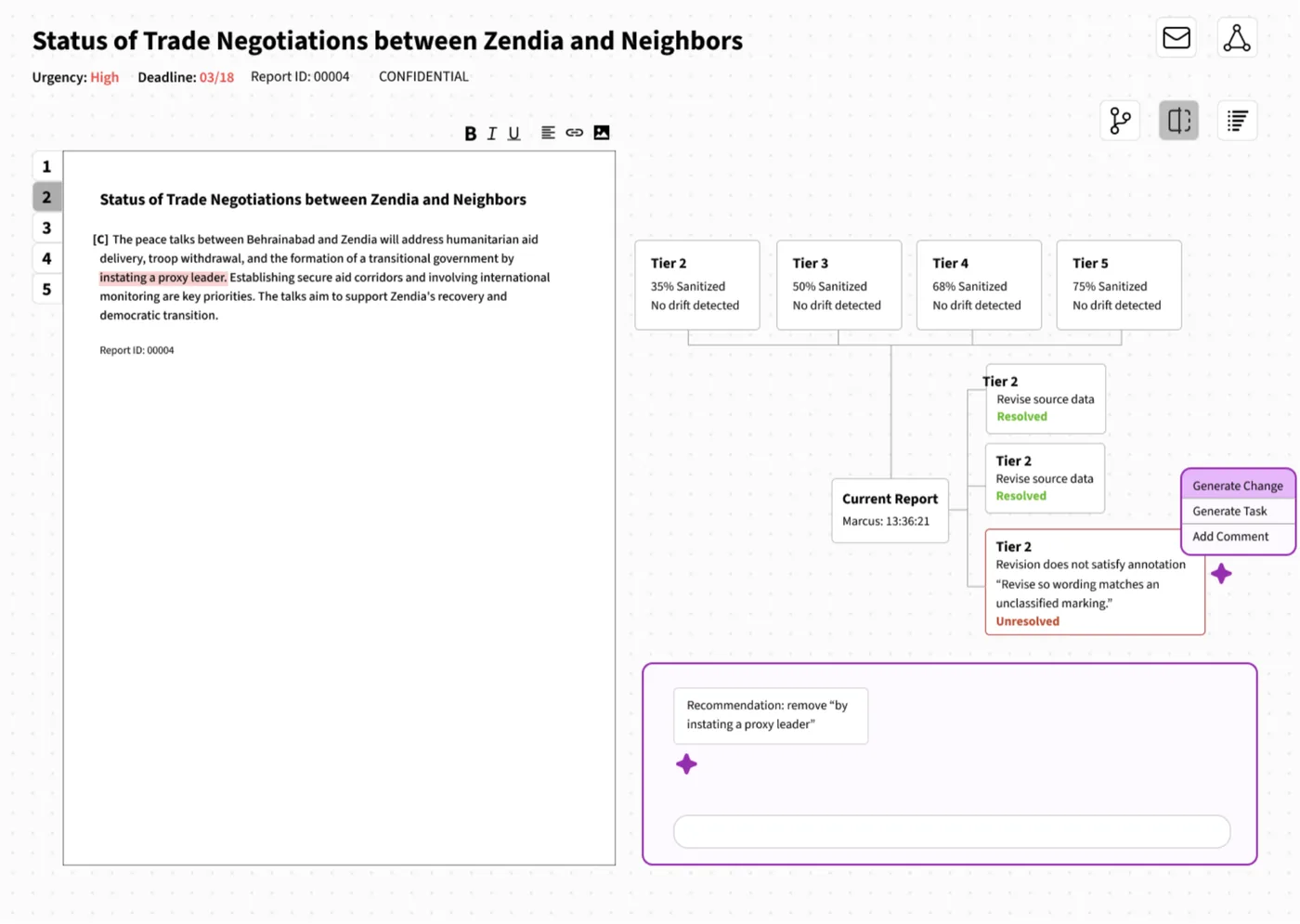
Margin Annotations: each editor change shown in the document
Re-checks the tiers for drift
AIDrift flag: meaning or confidence shifted between tiers
Weighs exposure across tiers before release
Adjusts tier access for customers without clearance
Local Node View: every edit and coordination as a timeline
Explains the delay so the analyst learns
Re-sorts her queue as new reports land
Quick-sort regroups the queue by priority
Checks the expansion against classification and caveats
Distribution panel: Agency → Org → Position, with recipient tooltips
Accepts, denies, or escalates the request
AIDependency flags: who else must be added, with AI reasoning
Out for revision · time passesReleased · back to monitoring
Key
Goal: what Aisha is trying to achieve
Step: what Aisha does
Feature: what the interface shows or does
Indicator: a cue for what changed or is at risk
AIWhere AI steps in; she always decides
Urgency Triage: what needs me first?
Dynamically prioritizing tasks by deadline proximity, mission impact, and workflow status under time pressure.
Aisha’s goals
Decide what needs me first
Aisha’s steps
Regroups the workspace around her focus Interface informed
Picks the report to work and opens its tasks Interface informed
Re-sorts her queue as new reports land Interface informed
Interface features
AI Semantic Tags: AI builds tags that regroup reports around her focus with urgency and deadline markers
Quick-sort regroups the queue by priority
Analytical Validation: is the analysis sound?
Verifying that analytic claims reflect the source data and that intended scope stays consistent across tiers.
Aisha’s goals
Is the analysis sound?
Confirm every issue is resolved
Aisha’s steps
Checks the BLUF and claims against sources Interface informed
Compares meaning across tiers Interface informed
Confirms each change resolves her annotation Interface informed
Re-checks the tiers for drift Interface informed
Interface features
AI Highlight a passage and query AI about its support
AI AI Tier Comparison: how wording was sanitized at each tier
Multi-Tier View: tiers side by side, matches light up on hover
Margin Annotations: each editor change shown in the document
AI Drift flag: meaning or confidence shifted between tiers
Strategic Judgment: what should happen next?
High-level sensemaking under ambiguity, balancing institutional, analytic, and operational considerations.
Aisha’s goals
Decide what changes, and why
Aisha’s steps
Checks the flag’s premise: who is really in that audience Interface informed
Accepts or rejects the flag, with her reasoning Interface informed
Weighs a gray zone against related reports and policy Interface informed
Settles it with her senior authority Outside interface
Weighs exposure across tiers before release Outside interface
Accepts, denies, or escalates the request Interface informed
Interface features
Global Node View: related reports by shared intel, customer overlap, and policy tension
Exposure Compliance: is it safe at every tier?
Assessing classification constraints, source protection, and dissemination boundaries to prevent overexposure.
Aisha’s goals
Is it safe at every tier?
Release to the right readers
Widen access without exposing sources
Aisha’s steps
Reviews suggested recipients, adds or removes Interface informed
Confirms classification and portion markings In the interface
Adjusts tier access for customers without clearance Interface informed
Checks the expansion against classification and caveats Interface informed
Interface features
AI Audience mapping: suggested recipients and missing stakeholders
AI AI Review Flags: passages flagged for the customers of each tier
Dissemination grid: customers as rows, tiers as columns
Access mismatch in the dissemination grid
Distribution panel: Agency → Org → Position, with recipient tooltips
AI Dependency flags: who else must be added, with AI reasoning
Institutional Authority: is it ready, and who signs off?
Holding formal decision authority in a hierarchical structure, including accountability for release decisions.
Aisha’s goals
Clear equities before anything goes out
Own the call on record
Aisha’s steps
Edits and sends the equity-check request In the interface
Calls the customers who flagged it as urgent Outside interface
Annotates the issue: problem, reasoning, next steps In the interface
Marks the report revision required In the interface
Signs off and releases Interface informed
Explains the delay so the analyst learns Outside interface
Interface features
AI Integrated Coordination: AI drafts the request to the stakeholders it detects
Reasoning is required to save a flag; it becomes the record and future training data
AI Final checklist: coordination, recipients, tier alignment, compliance
Vigilance and Entry: where do things stand?
Continuous monitoring and task switching that keep the workflow moving through interruptions.
Aisha’s goals
Know where things stand
Answer without losing her place
Aisha’s steps
Picks up the returned report, coordination cleared Interface informed
Sees where the report stands, and why Interface informed
Interface features
AI Smart Tasks: one click turns a report into linked tasks
AI Annotations become margin notes and tasks for the editor
Changed since her review; approvals in
Local Node View: every edit and coordination as a timeline
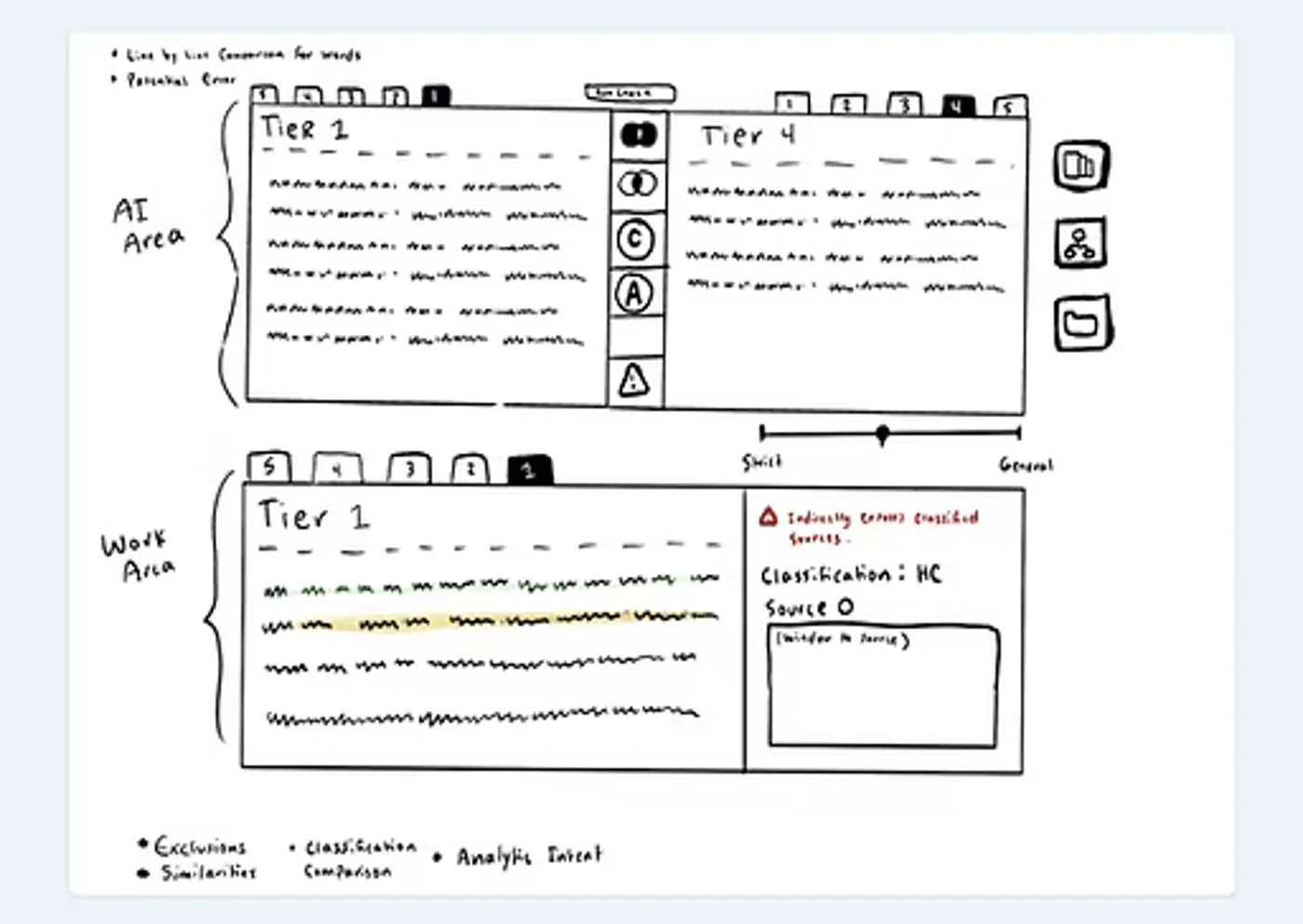
Low Fidelity Wireframes
Using the features proposed in our map, we each wireframed our own vision of Merlin to bring to reporters for feedback.
Iterative Usability Testing
3 rounds of concept validation and usability testing turned into three principles for the final design.
01
Analysts liked to always see what has been changing and why. Including between tiers and reporter handoffs.
Design: Across tier and analyst tracking with AI notifications of changes.
02
Start with simple but allow for reporters to dive deeper into information and edits to see the full picture.
Design: Expandable report cards with node views for deeper investigations.
03
Release decisions are classification and tier based so tools need to be adaptable to unfamiliar and expanding recipients.
Design: Customer panel with integrated coordination for expansions.
Final Deliverables
A Customizable and Focused Workspace
Pain pointThere’s no individualized prioritization or personal workflow, and outside-agency coordination isn’t integrated: Aisha starts it by hand and watches for email replies.
Node Views
Pain pointThere’s no way to see the changes and edits made between revisions, or how a report connects to the rest of the initiative.
Tagged Reasoning
Pain pointHolding a report to policy and analytical standards carries a high cognitive load and leans on experience, because policy information isn’t centralized.
Comparing Across Tiers
Pain pointAisha continuously cross-references draft language against the raw sources to make sure the original analytical intent survives every tier.
Final Thoughts
This project was a valuable opportunity to work alongside stakeholders, centering their needs and pain points to design a solution that serves not one analyst, but many. Feedback from LAS showed that every releaser works differently, which pushed us toward a customizable workspace that adapts to each user rather than forcing a single workflow. Merlin also challenged me to imagine the future of AI–human teaming, and to consider how UX design can support human judgment rather than replace it, keeping the releaser accountable for every decision. Moving forward, I want to push my ideas even further and explore how AI can transform the reporting workflow itself, not just speed up the one that exists today.
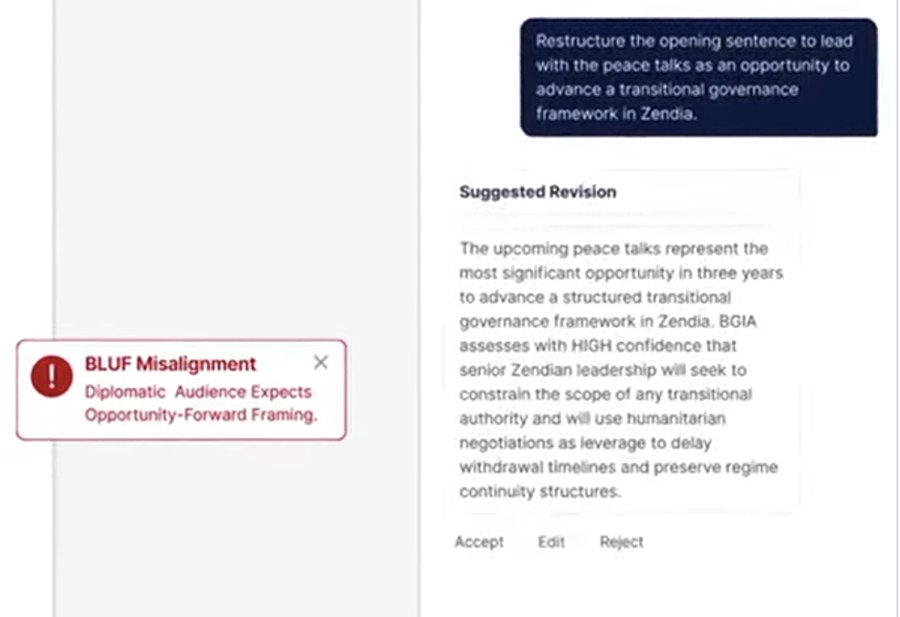
Intelligence reporters often write one report several times, once for each audience and classification tier. This future-facing proposal imagines that work led from a single chat: the AI drafts every tier, and the reporter steers, checks and edits. We told it as three scenario clips, recorded from Figma prototypes.
Role
Research Assistant — Interaction Design & Prototyping
Team
Helen Armstrong, Matthew Peterson, Willow Ahrens
Partner
The Laboratory for Analytic Sciences
Year
2026
Tools
Figma, Claude
Hero image — Bundle Chat beside the Class Y and Class X editors
The Idea
The AI is the author and the reporter is the editor. Generation, checking, spot edits and the shared history of the report all live in one chat, so the next reporter on the bundle can see what changed and why.
One Report, Three Tiers
A bundle holds one report written for three audiences. Each tier keeps what its readers need to act and drops what they should not see.
Class ZDiplomatic officials
The fullest version, written for officials supporting peace talks, in policy language they can repeat.
Class YCIA
Generated from Class Z. Some sourcing is left out entirely and named entities are generalized.
Class XNavy
Loses all sourcing but keeps the vessel name and departure window, because the Navy needs them to act.
Design Principles
01
Show the Work
Every AI step appears in the chat as it runs and links to the paragraph it is acting on. Agent checks are named, such as @sources or @compliance.
02
Options, Not Answers
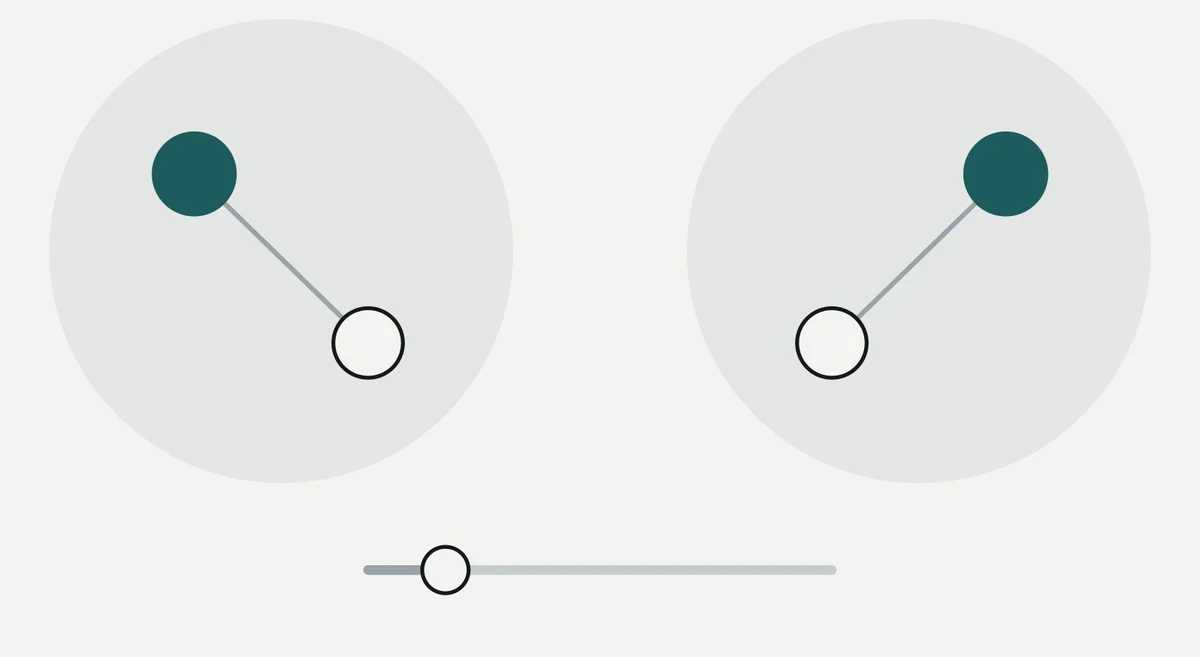
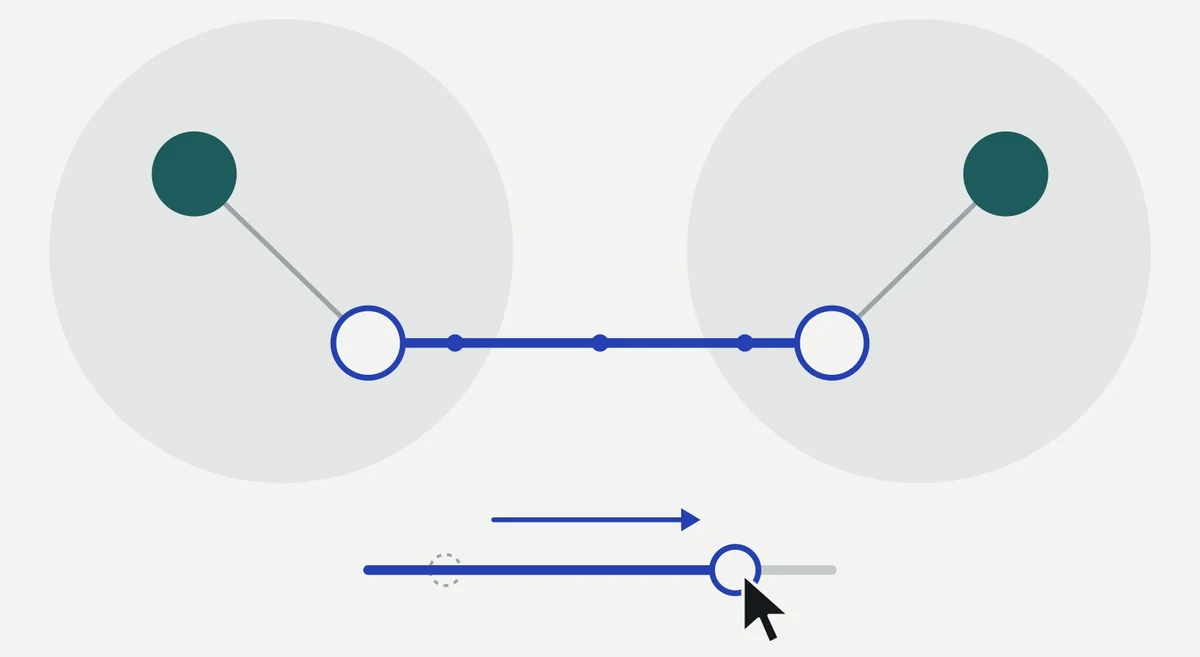
For judgment calls, the AI offers a slider with live previews in the report. The reporter picks the setting, and the AI applies it.
03
Stay in the Bundle
The AI only draws on sources attached to the bundle. Asked about anything outside them, it says so and stops.
Colour Says Who Did It
When an AI writes most of the text, the reporter needs to see at a glance which changes were theirs.
The interface uses one colour for each side of the team. Blue follows the precedent of existing human interactions. Purple marks everything the AI drafts, checks or proposes. Tier colours stay reserved for classification.
Reporter
Chat messages, selected text, Send and Accept.
SendAccept
AI
Steps, agent chips, sliders and the paragraph being written.
@sources@jargon
Three Scenario Clips
A fictional scenario follows two reporters with the same clearance across two days on one bundle.
Clip 1 · Ashley
Generate
Video — setup, generation and agent checks for Class Z
Ashley sets up the report and the AI writes Class Z paragraph by paragraph. She edits behind it as it writes, and it keeps her changes. Sliders then set how a named official is attributed and how technical the tone is.
Clip 2 · Ashley
Spot Edit
Video — inline ask, @sanitization and a cross-tier sync
With the chat minimized, Ashley edits Class Y and X in place: an inline ask, agent checks for sanitization and jargon, and an offer to carry a manual change to the matching paragraph in another tier.
Clip 3 · Jeremy
Hand Over
Video — change summary and a compliance sweep across tiers
The next morning Jeremy asks what changed and why, jumps to each edit, and runs a compliance check across all three tiers.
In progress
Attribution Is a Spectrum
How much of a named official’s role a tier needs is a judgment call, not an on/off switch.
Earlier sanitization exercises showed that named individuals need graduated handling across tiers. So the AI offers four stops and previews each one in the affected paragraphs before anything changes. The same pattern sets tone: wording runs from technical to policy, and confidence from direct to hedged.
Name + title
Title only
Role only
Omit
Slider card in the chat, with dashed previews on Class Z ¶2–3
What We Learned About Tiers
01
Supersets, Not Paraphrases
Anything in a lower tier must also exist in every tier above it. A tier is a cut of the report, not a rewrite.
02
Lowest Is Not Vaguest
The lowest tier can be the most specific about what its readers act on, even while it loses every source.
03
Some Content Must Go
Some claims have no safe lower-tier version. The right move is to leave them out, not to weaken the wording.
What’s Next
Finishing the handover clip, recording all three clips, and reviewing them with the team and our subject matter expert.
Final Thoughts
PLACEHOLDER — what designing for an AI author taught you about keeping the reporter accountable.
AI agents are changing how software gets built, but also who defines the work and how it gets specified. Through interviews with engineers, designers and enterprise leaders, we mapped how teams actually work with AI, then designed a way for teams to connect the AI conversation behind each spec to what happened in production.
Role
Interviewer, Research & Interaction Design
Partner
IBM Studio, NC State MGXD
Year
2026
Tools
Figma, Claude
Hero image — the team-lead spec review screen
Point of View
Software engineers who write specs with AI agents need a way to connect the AI conversation behind each spec to its production outcome, because building that data allows trends and lessons to surface, leading to better-written specs in the future.
Who We Talked To
Ten semi-structured interviews across three groups, from students learning with AI to an enterprise architect governing it at scale.
4
Software Engineers
Backend, Android and frontend engineers, including former big-tech engineers now at product companies and open-source teams.
3
Professionals
A product designer, a UX research manager and an enterprise architect who walked us through AI governance across a large organization.
3
Students
Graduate students and interns, including security testing, building their habits with AI tools as they enter the field.
What We Heard
Across interviews, the work of checking AI was everywhere, and almost none of it was seen.
01
Verification Is Invisible
Engineers check AI output through self-review, peers, QA, leads, security and clients, but organizations measure AI adoption, not that checking.
02
AI Work Is Siloed
Prompts go in and code comes out, but the process behind it is never recorded, so what works for one engineer never reaches the team.
03
Usage Gets Rewarded
Teams are encouraged to use AI for its own sake. Volume becomes the metric while output quality, cost and accuracy go unmeasured.
Mapping the Ecosystem
Everything on these maps connects, and most of it leads back to the developer at the center. Select any part to see what it touches and how it reaches the developer.
The most useful reframe centered the map on producing high-quality AI output, where efficiency, security, policy, accuracy and cost all pull on the same piece of work. The ecosystem map puts the developer at the center, surrounded by the people, tools, artifacts and processes they work with.
Map
Zoom with the buttons or Ctrl + scroll, then drag to move
ActorsToolsArtifactsProcesses
Developer approval map — six checking spokes
Current-state journey map — ticket to completion
Narrowing the Focus
Our point of view moved three times as the research and critique sharpened it.
01 · Organizations
Organizations need a way to structure AI guardrails within their teams, because clear processes for checking AI outputs build trust deliberately rather than complacently.
02 · Process
Engineers need a way to make their process with AI clear to themselves and their team, so better processes stop staying hidden.
03 · Specs
Feedback pushed us into spec-driven development, and to design one moment: receiving the outcome of a spec and acting on it for the next one.
Design Principles
01
Human-Led
People tag what they are doing and investigating, both what broke and how they teamed with AI. The AI helps, and reads activity that isn’t tagged.
02
Quality over Usage
The tool surfaces output quality, including token efficiency, never the volume of AI use.
03
Patterns, Not People
Lessons draw on what works across the team without exposing a teammate’s name or work.
The Team-Lead Flow
A monthly review where a lead sees how the team’s specs played out and turns what worked into a lesson for the next ones.
1
Monthly Spec Review
Screen — review overview
2
Find Patterns
Screen — patterns across specs
3
Draft a Lesson
Screen — lesson draft
4
Choose Who Hears It
Screen — notification settings
5
Publish
Screen — published lesson
Prototype video — the full flow
What’s Next
Usability testing a live prototype with team leads, then scaling the concept to a large enterprise team, tested against robust proxy data.
Final Thoughts
PLACEHOLDER — what this project taught you about researching a field that changes while you study it.
Spiraling Diagrams: An Undergraduate Coursework Approach
Design Education · Multidisciplinary Research · Interactive Visual Displays
As teaching assistants under Dr. Matthew Peterson, we built project content for a senior-level graphic design studio at NC State, structuring multidisciplinary research into a design project. Students designed interactive learning displays for three canonical science topics: mitosis, the carbon cycle, and ocean layers.
Role
Teaching Assistant
Team
Willow Ahrens
Instructor
Dr. Matthew Peterson
Course
Senior-level graphic design studio, NC State
Presented
SECAC 2026
The Problem
There is growing recognition that design education is at a turning point, where the craft-based model underprepares students for complex work in multidisciplinary problem spaces.
Design cannot fully address a new practice paradigm if design educators do not also rethink a persistent curriculum paradigm from the industrial era.
Meredith Davis
Meredith Davis, a prominent scholar and design educator, has written extensively about this and argues that educators need to rethink a persistent curriculum paradigm that originated in the industrial era, known as the craft-based model, where design studios are built around form and function, and students work individually to hone their intuition in solving a faculty-defined problem.
Intuition might work for poster or logo design, but today designers are increasingly asked to work inside systems like healthcare and education, where decisions ripple through people and processes they can’t fully see.
Herb Simon’s Problem Spaces
A cognitive framework for moving students from intuitive crafting to evidence-based inquiry.
Davis translates Herb Simon’s theory of problem spaces, a theory of problem-solving, into a pedagogical framework for design education. Simon’s theory states that solving complex challenges requires searching across multiple problem spaces to pull out underlying principles. Davis uses this to create a three-step sequence that scaffolds how design students learn to frame complex problems.
01
Set Boundaries
Students identify the problem space in a complex situation and set clear boundaries around it.
02
Extract Shared Principles
They compare different instances of the same problem and extract shared principles or patterns.
03
Propose Models
Students propose models of the situation based on those patterns, create design responses, then evaluate those responses against their models.
Based on a figure from Davis (2025); Simon and Lea (1974).
Why Analytical Thinking?
Davis’s shift to evidence-based inquiry is also how we protect the thinking AI makes easy to skip.
Grounding Design in Research
Rather than designing intuitively within critique cycles, students ground their ideas in research, helping them formulate reasoned justifications for their design choices that better speak to how humans truly think and interact with the world.
1
Theory Basis
Ground the problem in research from outside design.
Image function taxonomy, cognitive load, how each science topic is learned
2
User Research
Understand who will use it, and how their understanding builds.
Teacher and student personas, dual-user flows, learning progressions
3
Mapping Findings to Design Choices
Every design choice traces back to a theory or a user finding.
For example: a basic view first, because new learners can process only so much at once
This is exactly the thinking we wanted to practice with the students: applying their user-centered design skills to theory-grounded ideas.
Rooting Theory in the Coursework Approach
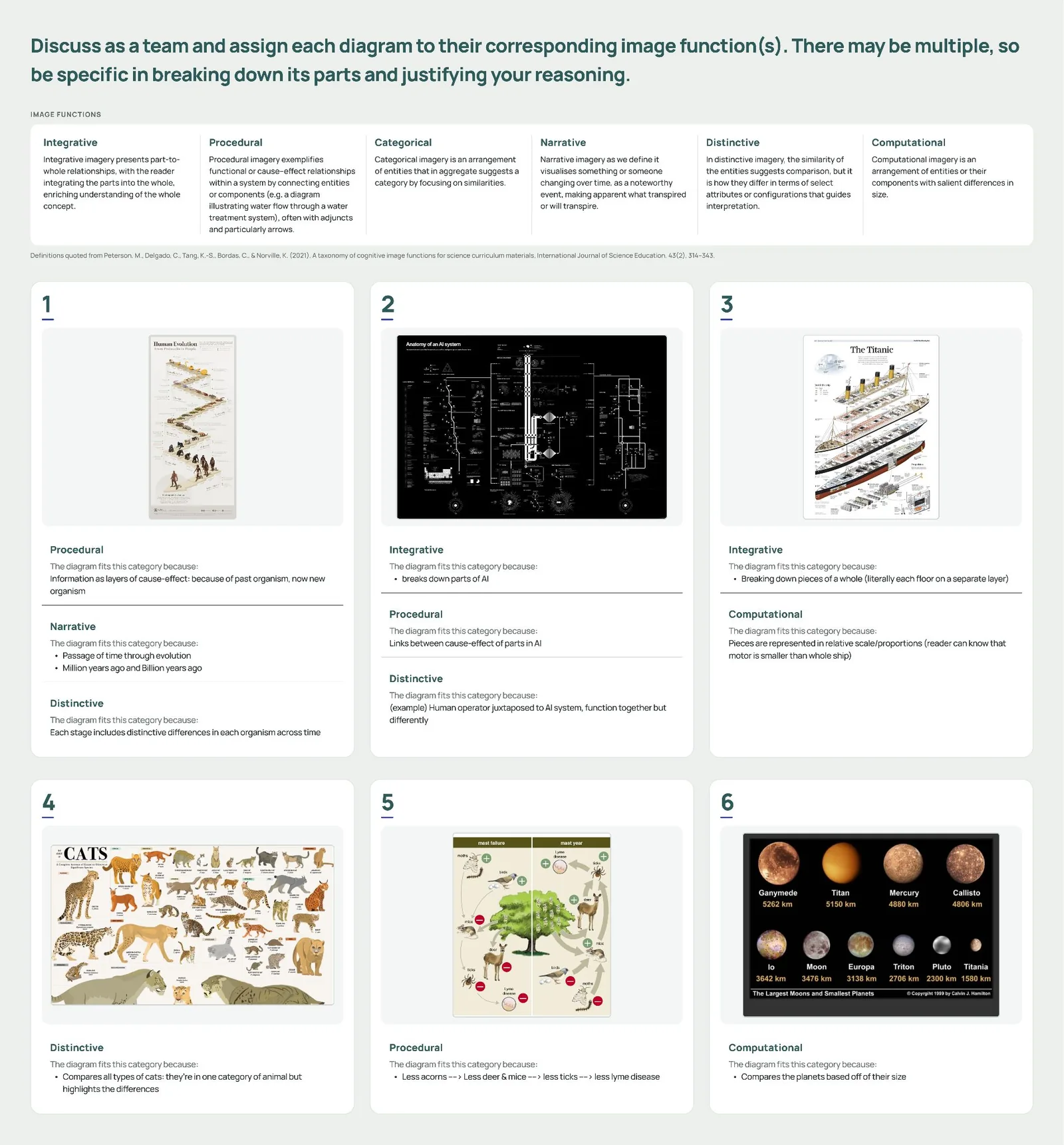
Image Function Taxonomy
A structural framework that classifies visual elements by their cognitive functions to scaffold student learning.
We began by introducing the students to Dr. Peterson’s research on image functions, a taxonomy developed by design and science educators that breaks down how the different aspects of visual displays communicate learning concepts to the viewer. For example, an arrow in a diagram could represent the passage of time or a connection between multiple entities.
In class, we had the students look at K-12 textbooks and diagrams and assess them against the framework. The goal was to move them past “Does this look good?” and toward a deeper, more analytical question: what is this visual actually communicating, and how?
Peterson et al. (2021)
Interactive Visual Displays
Designing a complex system that supports understanding as users learn and grow.
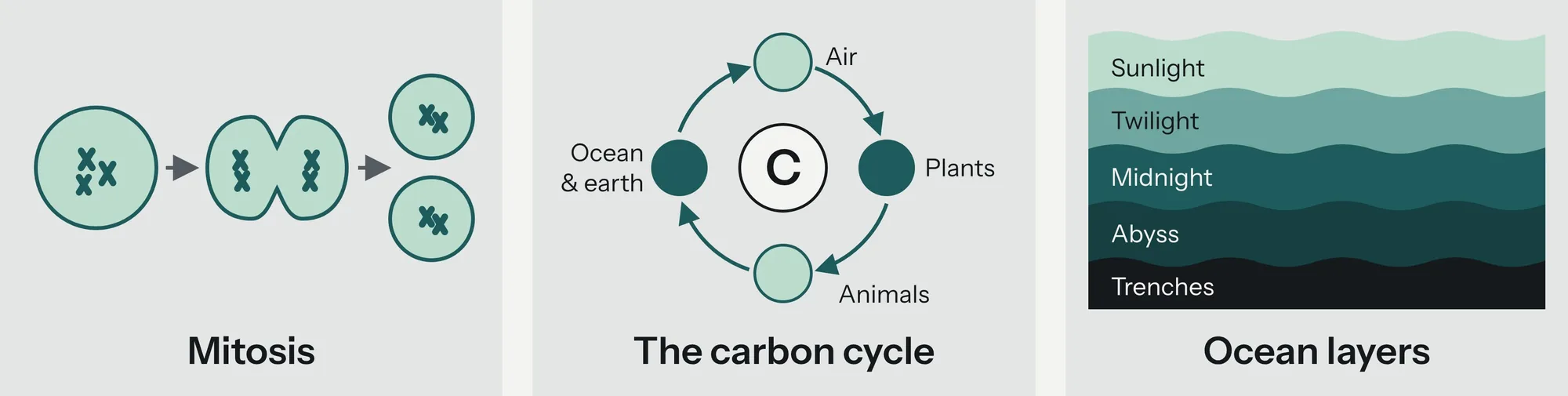
We broke the students into three groups, each assigned a canonical science topic: mitosis, the carbon cycle, and ocean layers. Eventually, each group would build an interactive learning display for its topic.
Breaking Down Science Content
Understanding Complexity
Their first task was to understand the topic itself: how a student learns it, and how that understanding builds and deepens year after year.
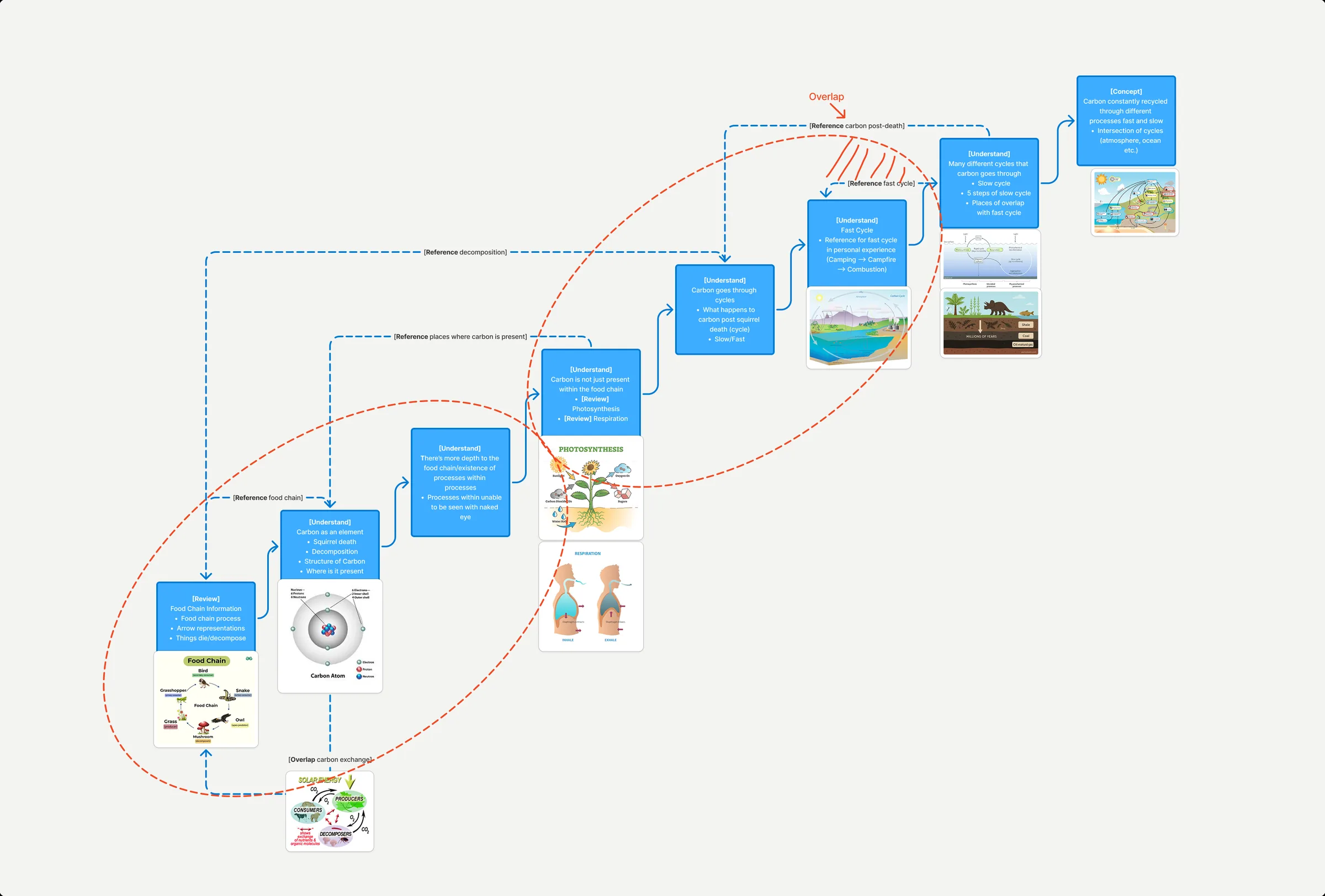
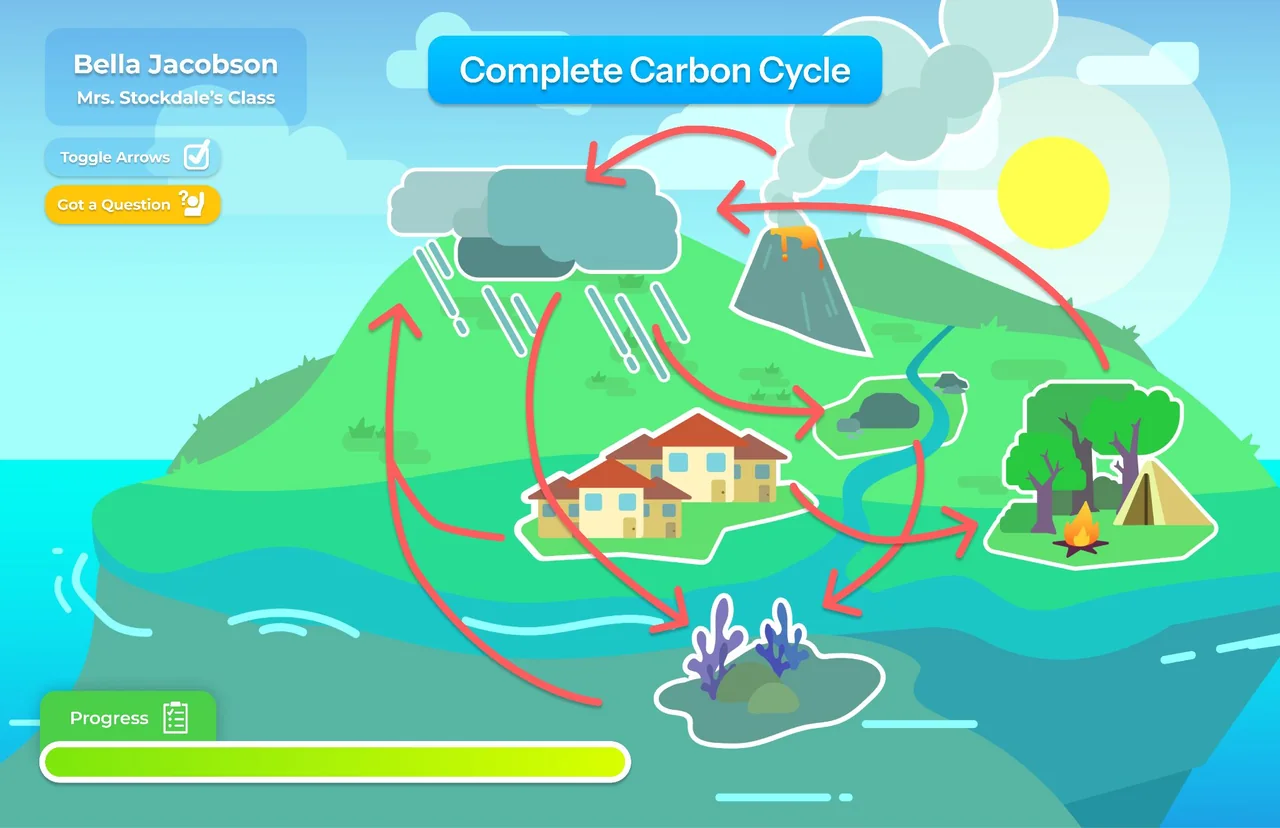
The students created diagrams to visualize their understanding and the increasing complexity of their topics. In the Carbon Cycle team’s breakdown, they mapped how learning begins in elementary school with understanding the food chain. Then a layer is added: when animals die, they decompose and return to the earth, introducing carbon as an element that moves through plants and the air we breathe. Eventually, students learn the fast and slow carbon cycles, building to the full picture: carbon is constantly recycled between living things, the air, the ocean, and the earth.
The Carbon Cycle · Amelia Javillonar, Chelsy Posadas, Nick Ciraolo, Marlowe Henderson
Student Learning Objectives
Three interactions that allow a user to control how information is revealed, organized, and transformed.
We emphasized the idea of progressive disclosure to scaffold visual complexity, allowing users to build their own understanding through interaction. We defined this through three moments that were required in the visual displays.
1Observation
A pause to step back and analyze the information, establishing orientation and an overview of the diagram.
2Change
A frame that shows the system is dynamic by exploring what happens when something shifts, like time, scale, constraints, or sequence.
3Inspection
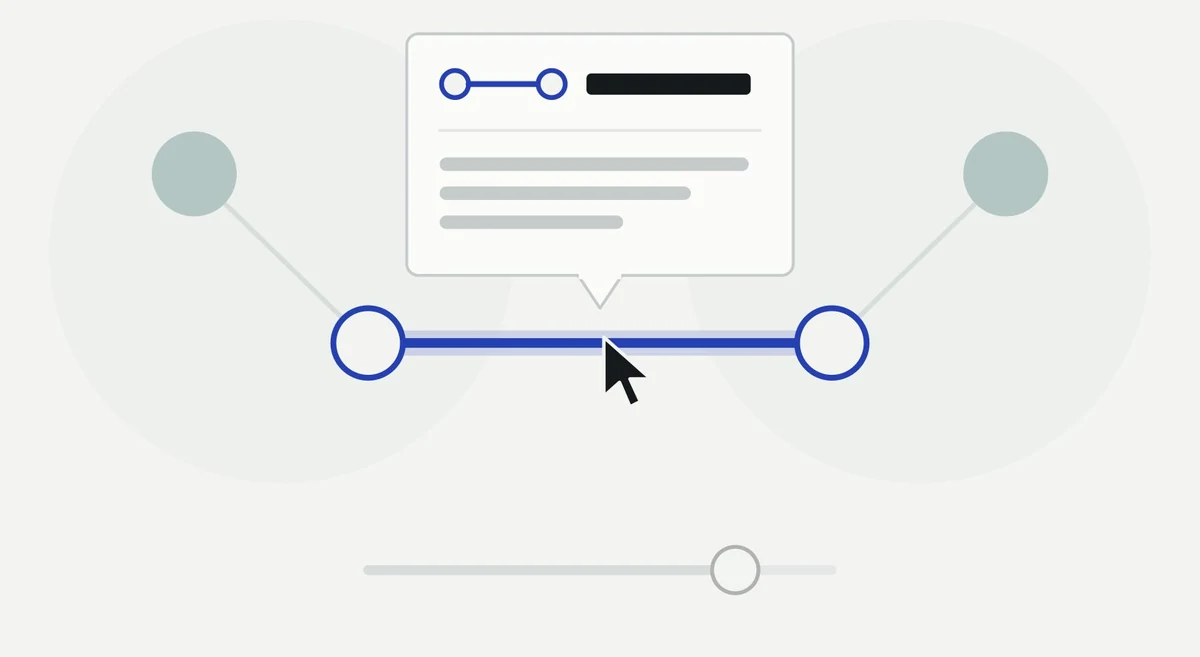
A frame for taking a closer look at one part of the diagram, revealing more information and evidence on click or hover.
Two-Sided Learning Interaction
Dual-User Flows
Because a learning interaction is two-sided, both perspectives need to be understood.
Once we defined the learning objectives for the students and they fully understood their science topics, we wanted them to consider two user groups that could ultimately use these visual systems: both K-12 students and teachers. To aid the students in creating their user flows, we gave them detailed, script-based user personas representing a single teacher’s and a single student’s experience of teaching and learning a new science concept.
We tasked them with building dual user flows as a team, encompassing both user experiences, that would inform how the teacher would teach the content and how the students would learn the content using the interface.
Teacher
Builds complexity in layers, adding or removing representations in response to student questions.
Student
Moves from observing the diagram to connecting each new layer with what they already know.
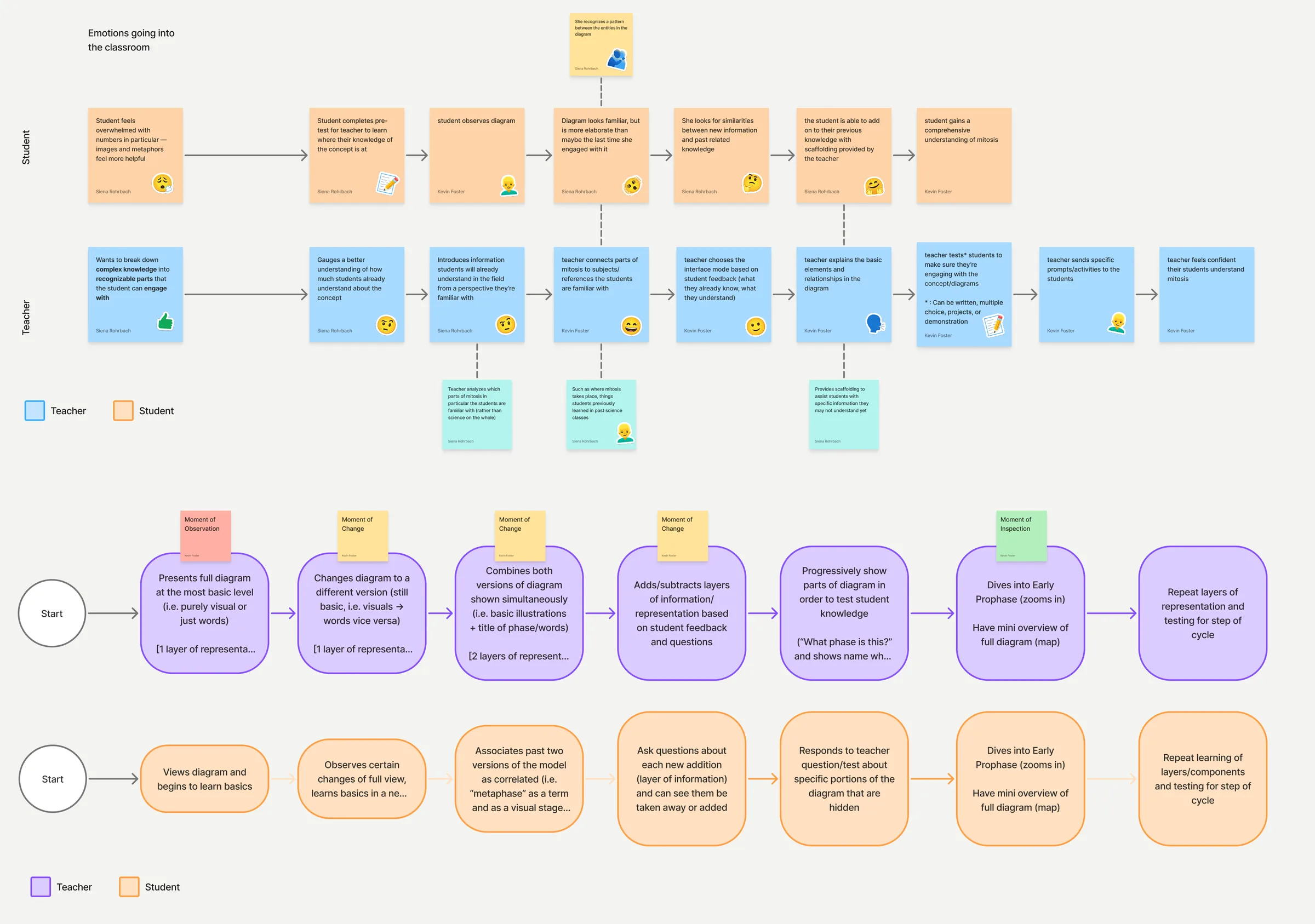
The Mitosis team mapped out the behaviors they would expect from the teacher and student simultaneously, while also considering how their visual displays would include the three moments.
Mitosis · Kevin Foster, Josué Avalos Jimenez, Danielle Varner, Siena Rohrbach, Makaela Bullock
Student Work
In teams, they built out wireframes based on their research, then diverged to design their own visual systems. As they began building out their screens, we asked them to think about misconceptions a learner might bring to their topic and to design something that addresses them.
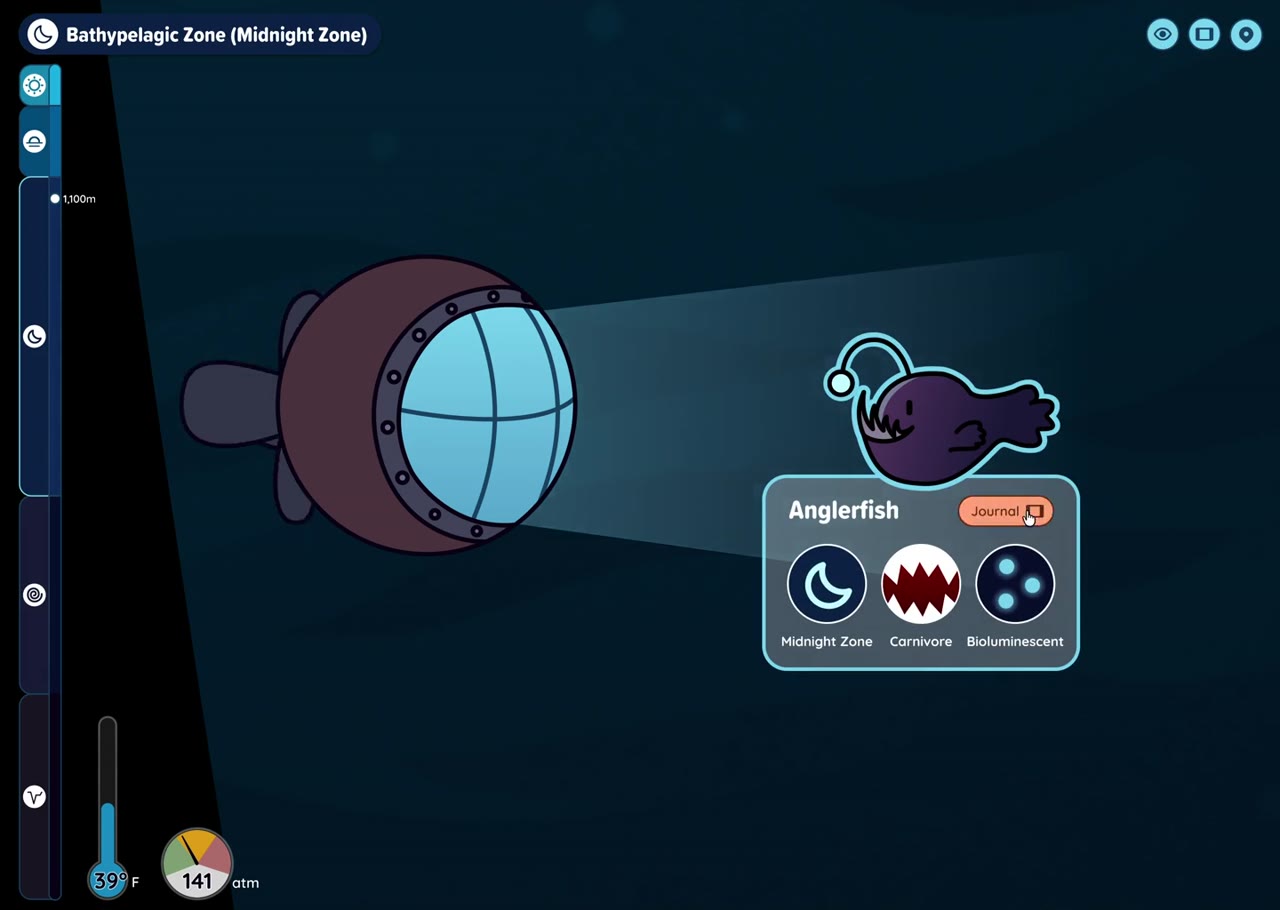
Ocean Layers · Chloe Porter
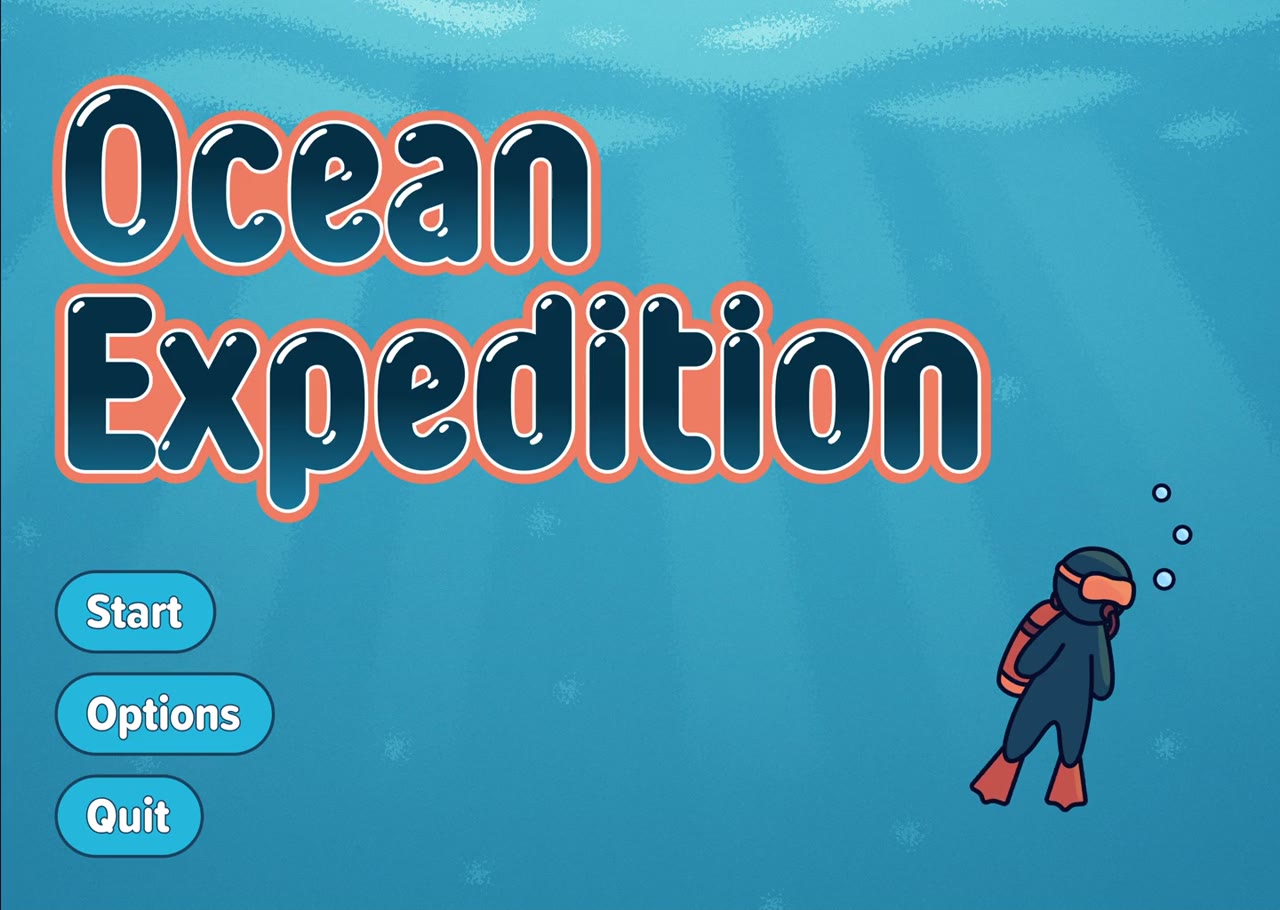
Ocean Expedition
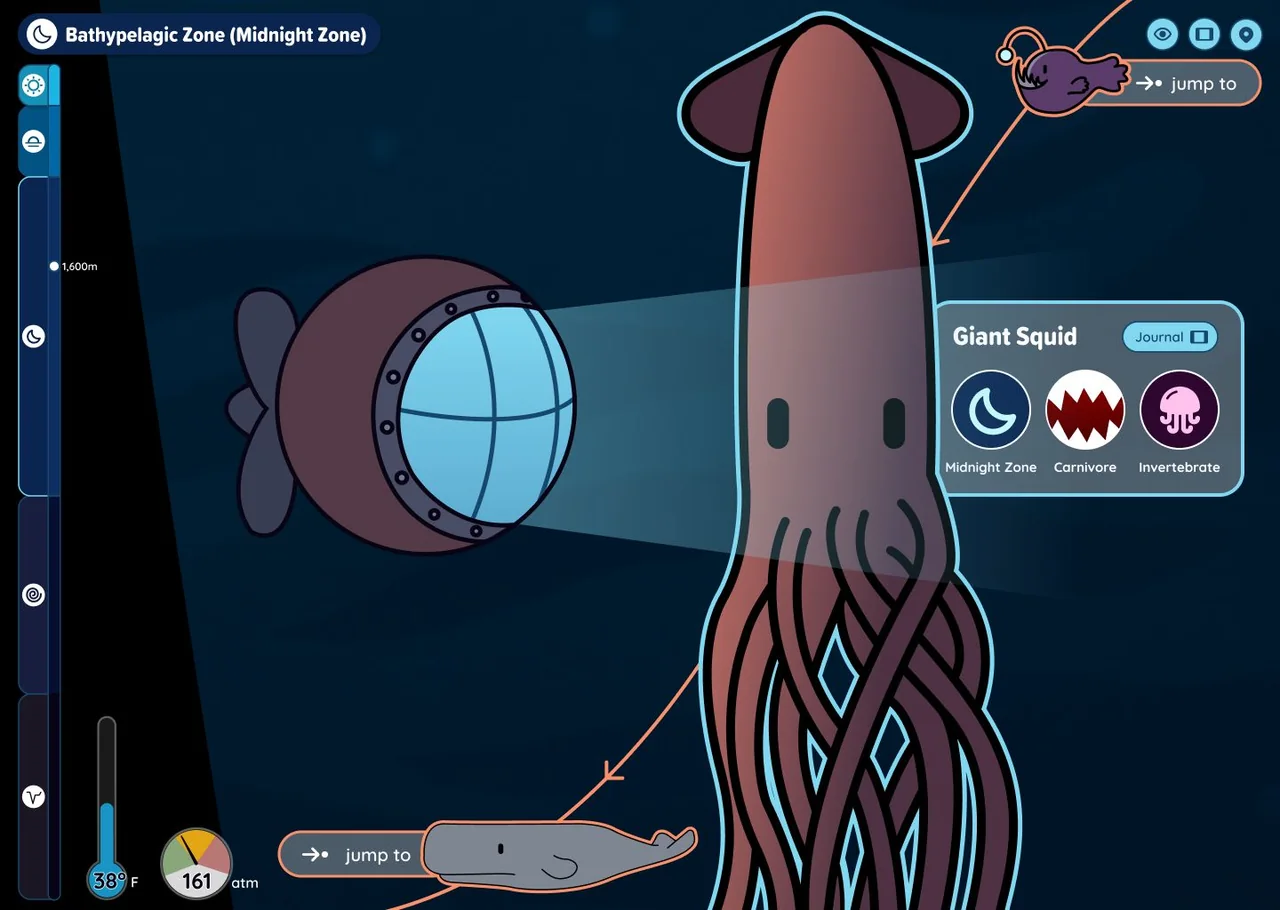
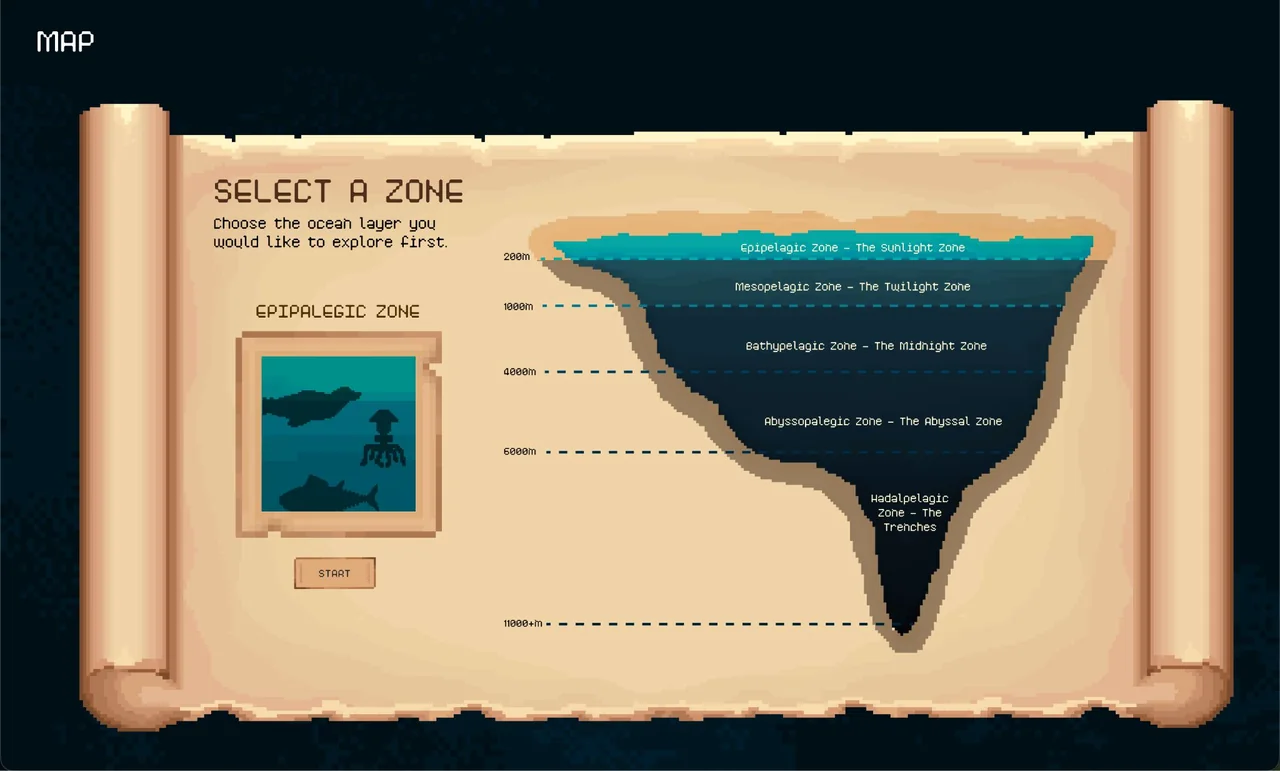
Chloe Porter’s interactive ocean-layer expedition, where users dive to the depths and meet the inhabitants along the way. Her interactive visual interface allows users to go through each ocean zone while learning the specifics of each layer.
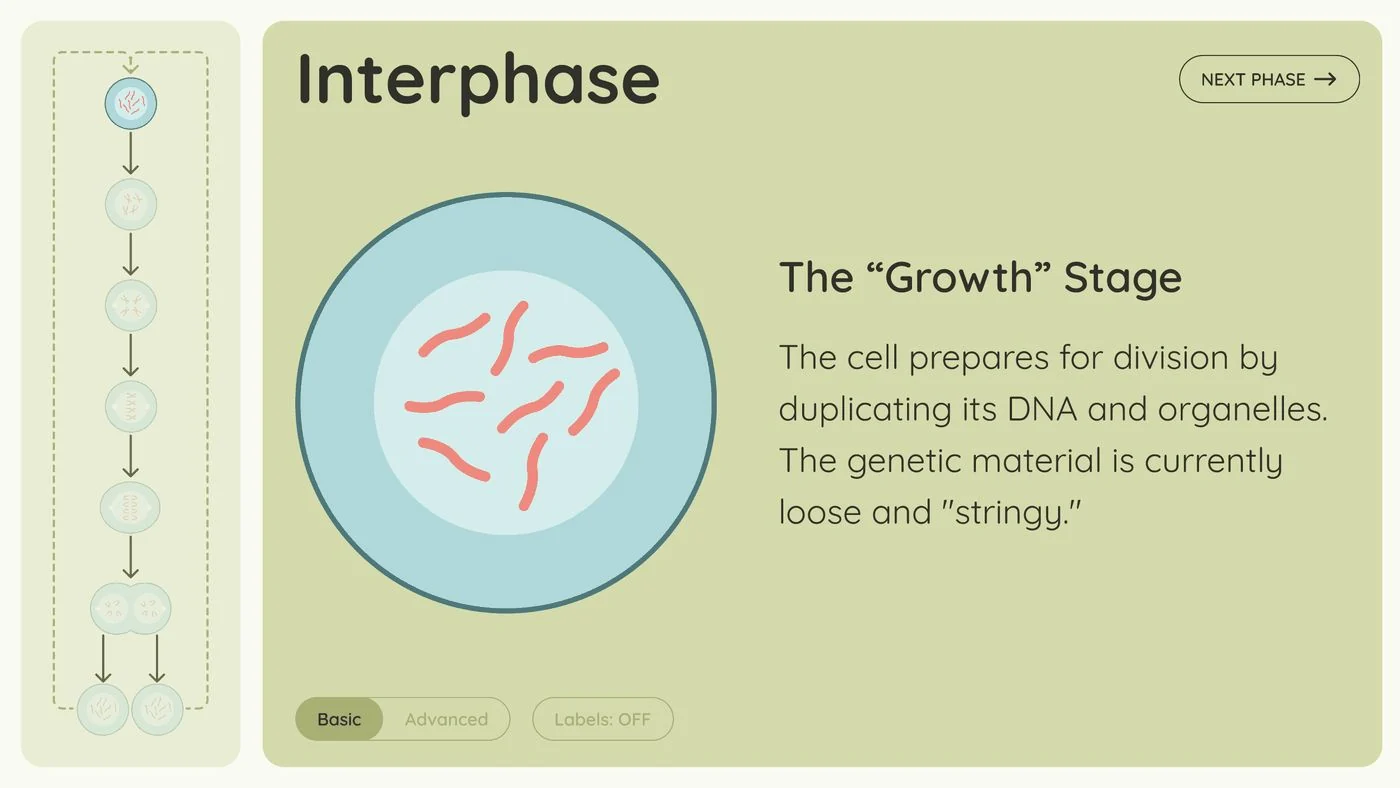
Mitosis · Kevin Foster
Interactive Mitosis Interface
Kevin Foster’s interface walks the user through the phases of mitosis, where users can toggle complexity between each phase. For interphase, the student offers two representations: a basic, illustration-style image and a more advanced AI-generated one. Presenting a concept in multiple representations can reduce the misconceptions a learner forms about it.
A misconception of its ownIn the mitosis overview on the left, dashed lines carry the two daughter cells back to the top of the flow, where they converge into a single arrow. This makes it look as though the two cells merge to restart the cycle, rather than each one entering interphase separately.
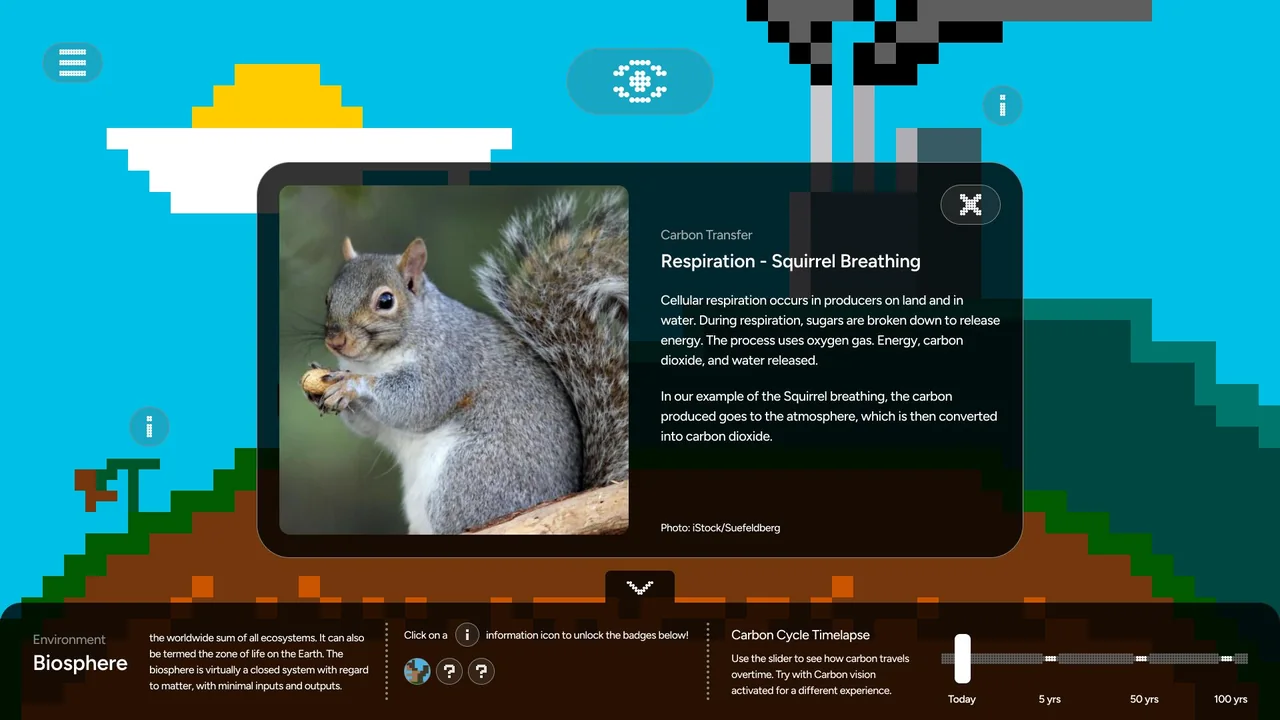
The Carbon Cycle · Nick Ciraolo
Interactive Carbon Cycle Interface
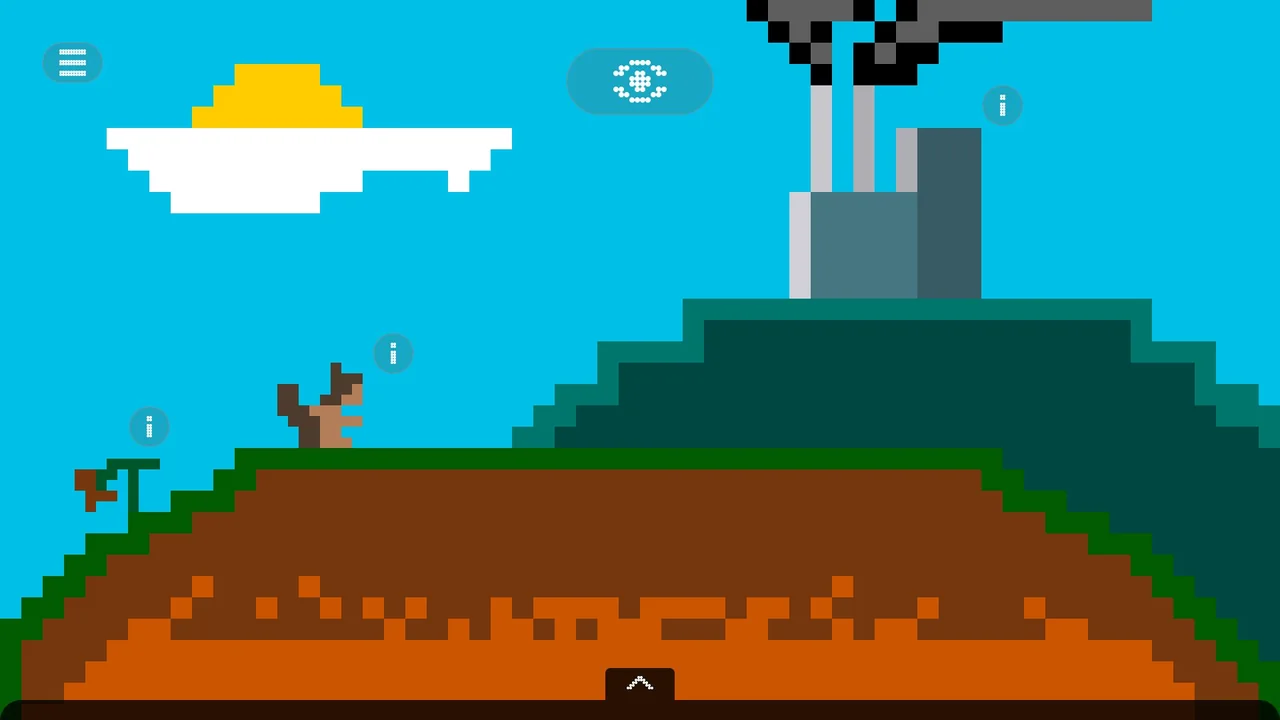
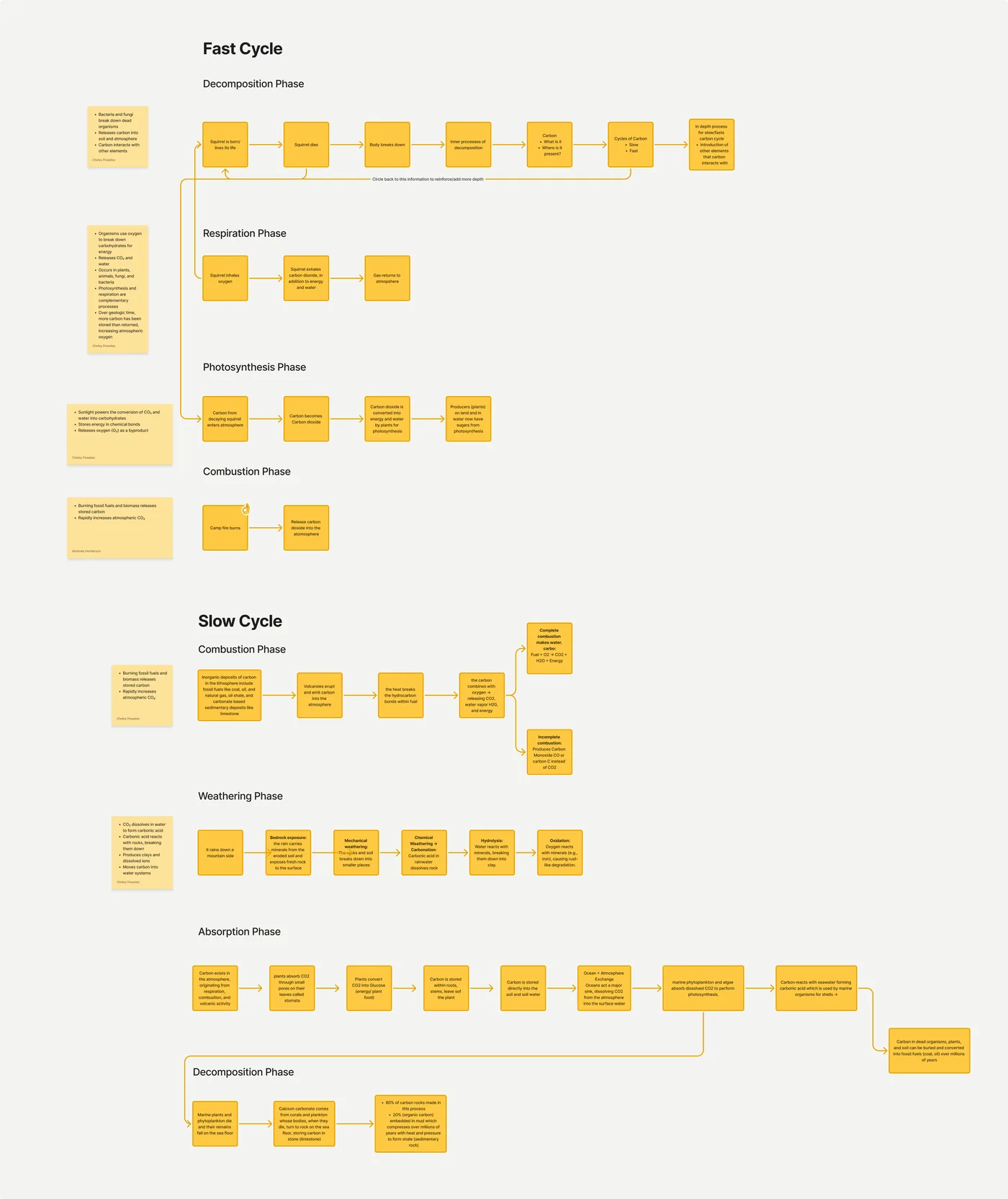
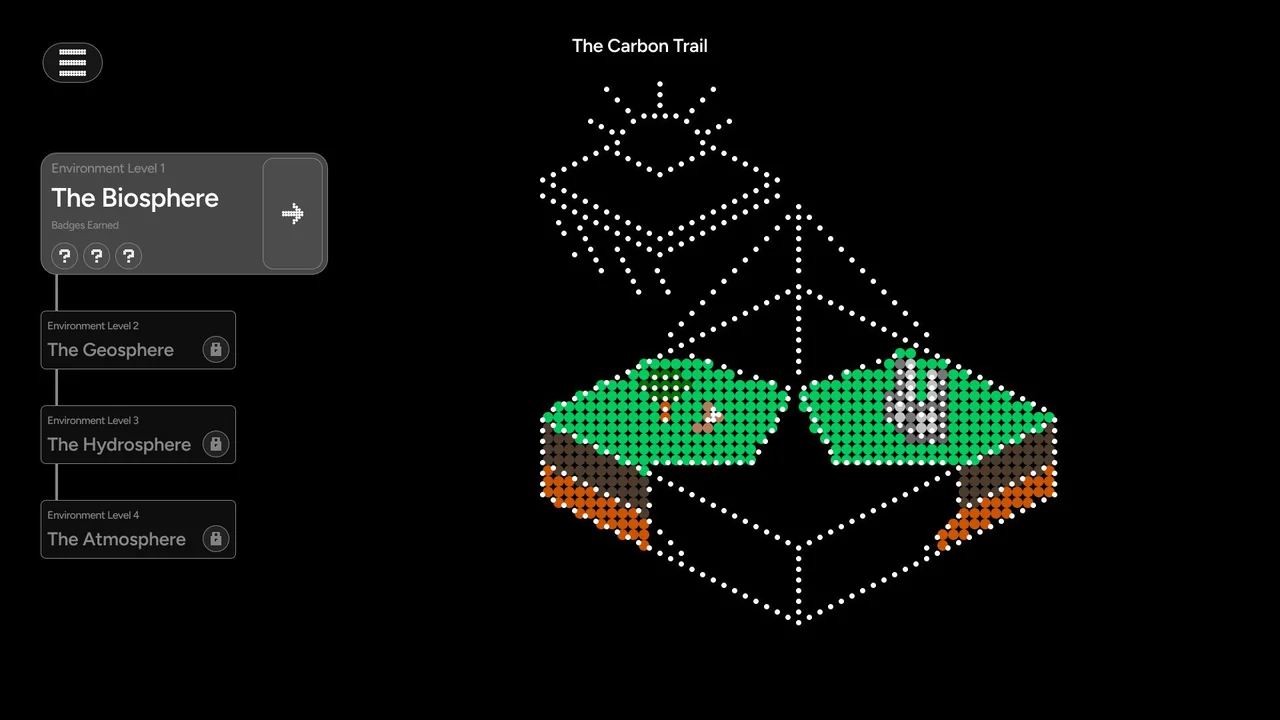
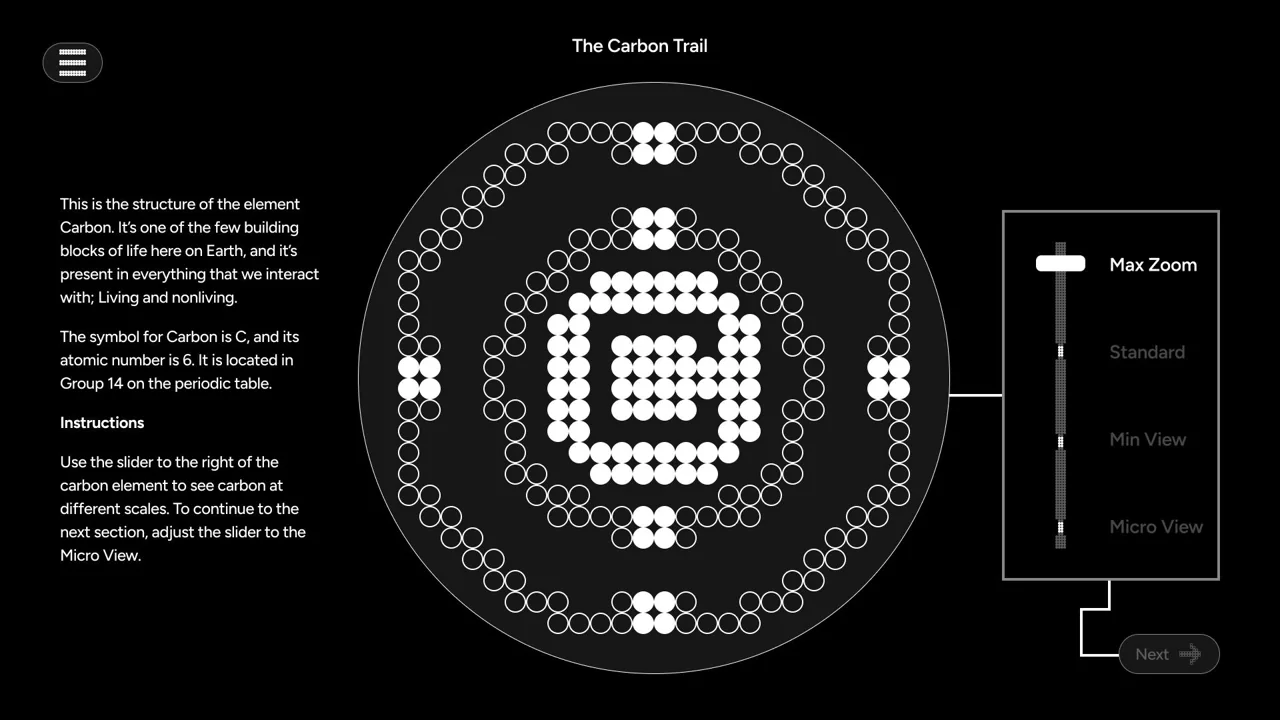
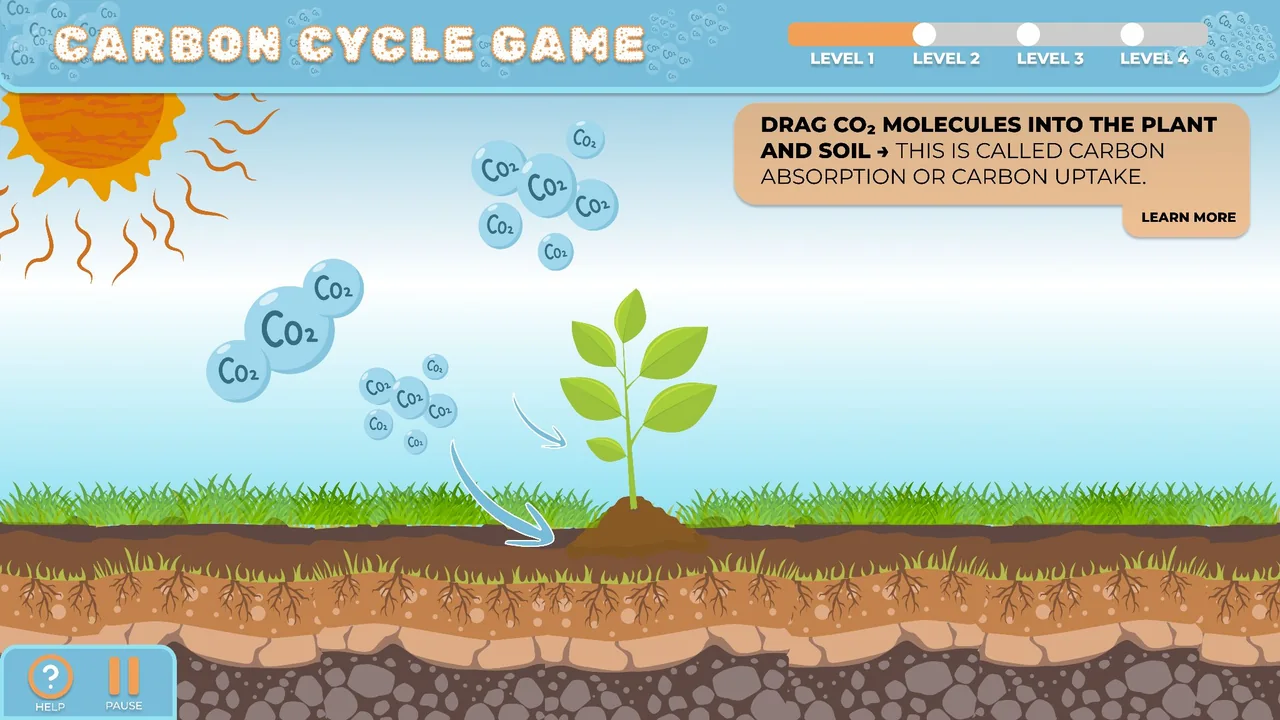
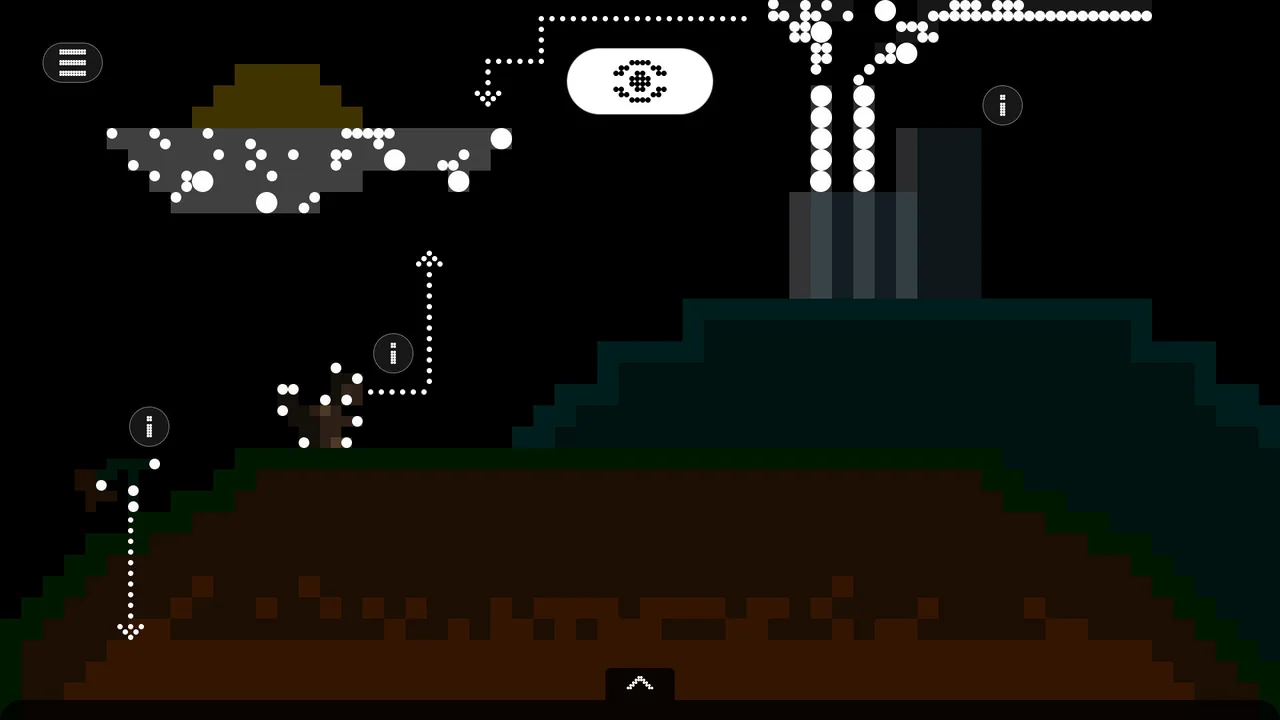
Nick Ciraolo’s interface depicts a user learning about the carbon cycle. This student took an interesting approach with two thematically separate views that engage the user in learning about the concept: first, a pixelated carbon structure that visualizes the movement of carbon, then a colored carbon trail that shows the user, as a squirrel, moving through the carbon cycle.
Nick also used multiple representations in a more stylized way, with an illustrated squirrel avatar and, at the moment of inspection, a real-life image of a squirrel showing how the animal is situated within the carbon cycle.
Student Work · Nick Ciraolo, Kevin Foster, Amelia Javillona, Ryan Markley, Chelsy Posadas and Chloe Porter
Takeaways
This project pushed for research-backed reasoning behind every design choice, prioritizing design students’ own thinking and using AI to explore rather than replace.
Final Thoughts
This project was our attempt at integrating theoretical and analytical thinking alongside more traditional visual studio projects, reinforcing the idea of evidence-based design thinking and using generative AI to expand visual representations as opposed to replace them. Student feedback was positive and they enjoyed the project, but they also found it more challenging than previous projects they had completed. As teaching assistants, building this project has deeply informed our own processes as we strive to structure our theses within converging multidisciplinary research and an AI future.
Durham Museum of Life & Science Butterfly Exhibition
UX Research · UI Design · Exhibition Design
This project explored how awe-driven, immersive environments can deepen learning and emotional connection in museum visitors. Through research-informed design, my team created a technology-enhanced experience for the Durham Museum of Life and Science Butterfly Conservatory that allows visitors to shape a butterfly’s life cycle. By translating conservation science into embodied interaction, the experience positions awe as a catalyst for curiosity, understanding, and environmental awareness.
Role
Designer
Team
Amaya Hush
Client
Durham Museum of Life and Science
Year
2025 (3 weeks)
Tools
Spline, After Effects, CapCut
Theoretical Foundations
This project is grounded in research identifying awe as a bridge between emotional experience and cognitive change.
Awe Encourages System Thinking
Dispositional awe may promote open-mindedness to the natural world and an increased understanding of the nature of science (Jones et al. 2022).
Awe as an Epistemic Emotion
Awe is uniquely triggered in situations where a person becomes aware of gaps in their knowledge, sparking a desire to learn (Jones et al. 2022).
Awe Facilitates Scientific Agency
Awe motivates individuals toward contemplation, encouraging them to think abstractly and engage in scientific inquiry (Jones et al. 2022).
Research by Jones et al. (2022) highlights that awe is not merely an emotional reaction to beauty or spectacle; it supports the process of learning by motivating people to seek explanations, revise their understanding, and engage more deeply with complex ideas.
Problem Statement
How might we use an immersive experience to transform visitors from passive observers into active participants, closing the gap between exposure to scientific information and meaningful understanding of ecological systems, conservation impact, and empathy for living systems?
Museum Visit
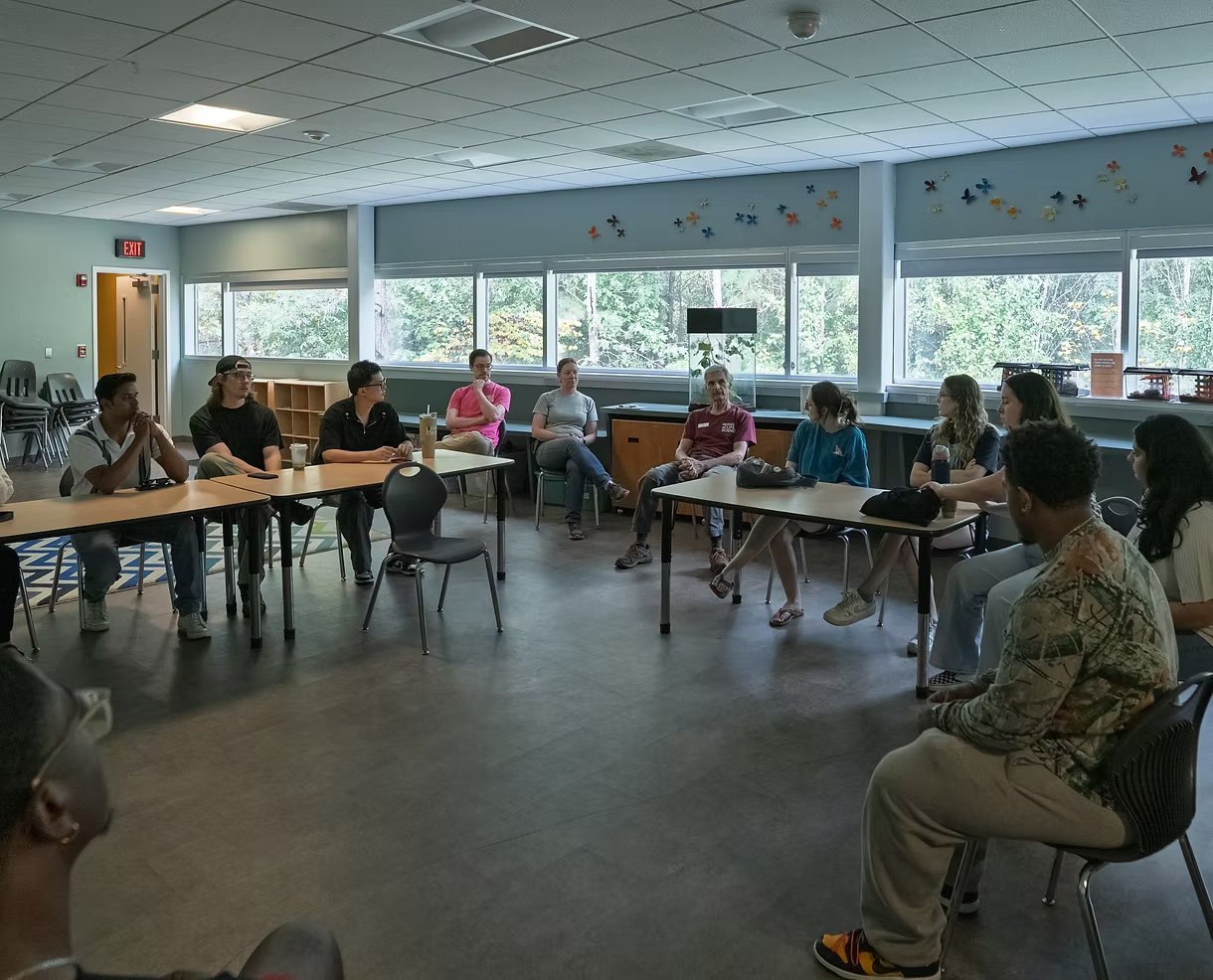
Before we began designing, we met with the museum staff to gain their insights.
Key Takeaways
Technology should not bleed into the actual butterfly conservatory.
The conservatory is a deeply lived experience, but a lack of staff prevents additional knowledge from being shared.
Staff struggle to share conservation stories in a way that deeply impacts visitors.
A Butterfly Companion Experience
Step inside a living story of metamorphosis, where light, scale, and interaction bring the hidden world of butterflies to life, where visitors explore, observe, and shape their butterfly’s journey.
A Metamorphosis Journey
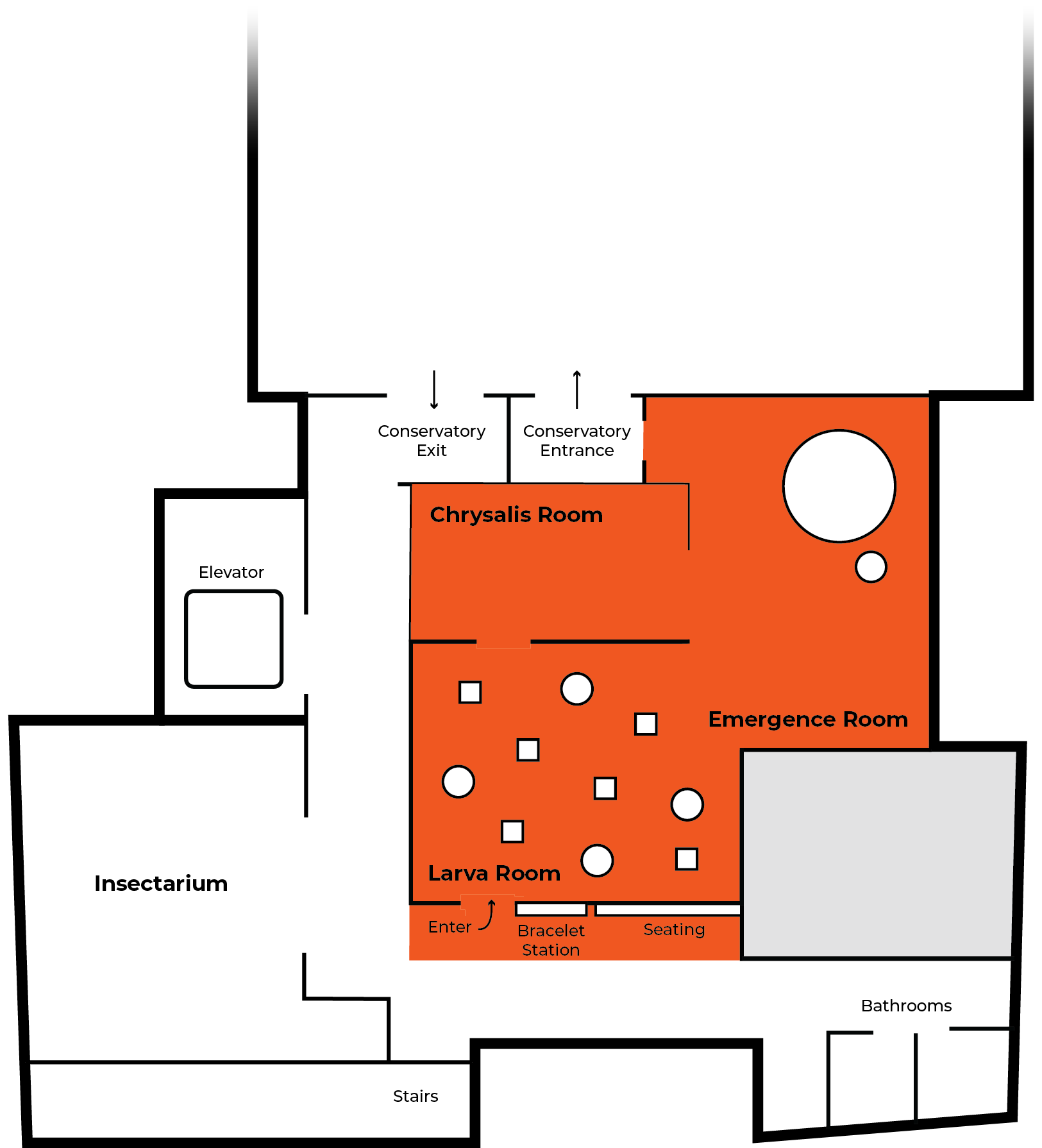
This experience uses immersive technology across three distinct rooms, guiding visitors through a butterfly’s journey from larva to emergence.
Through interactive storytelling, visitors learn about biology, ecosystems, and metamorphosis as they shape their own companion butterfly.
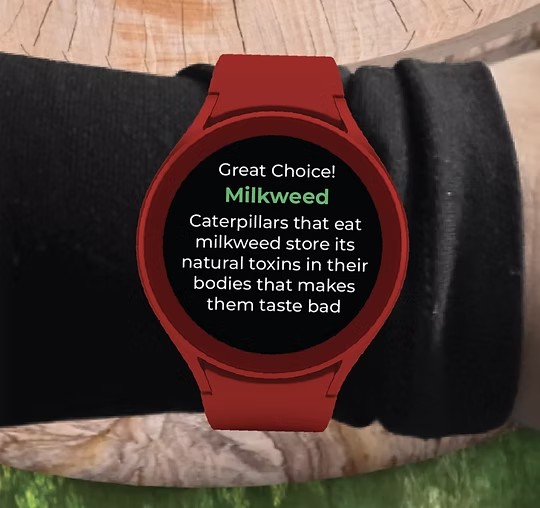
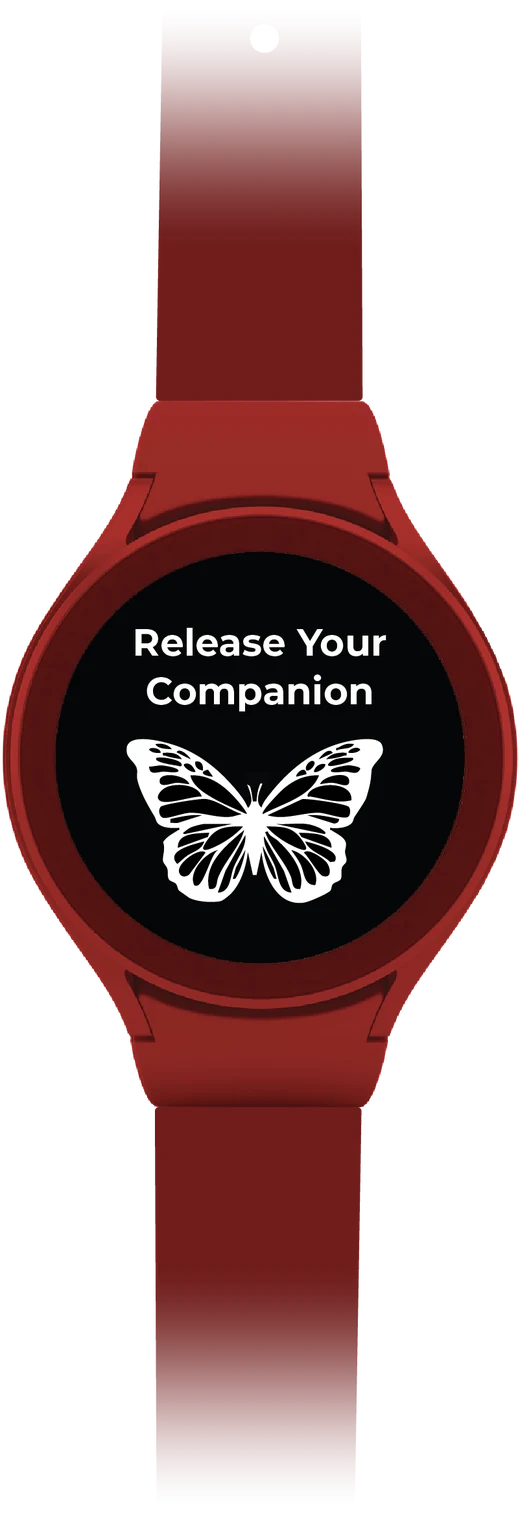
The Bracelet
Visitors begin their journey by picking up a bracelet that links them to the world of metamorphosis.
The bracelet allows visitors to interact with projections and make choices guiding their butterfly’s development.
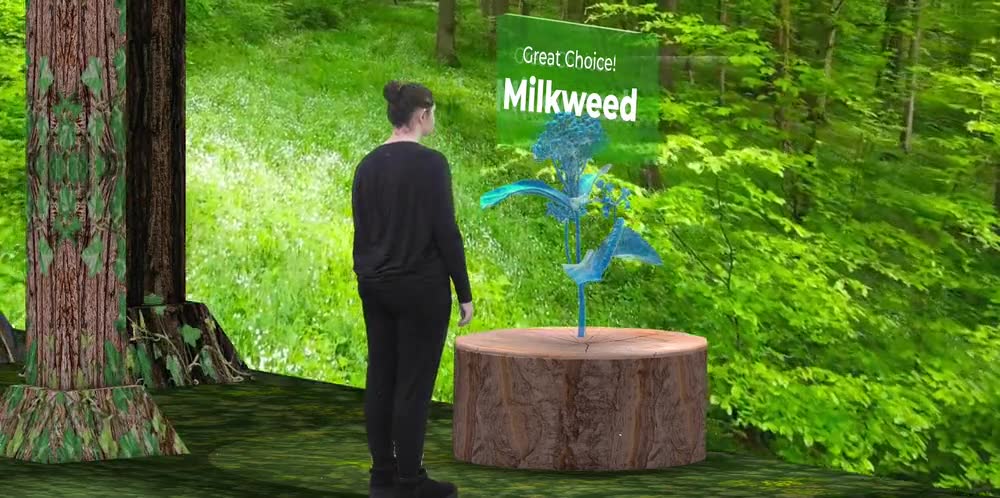
Larva Room
Purpose
To spark curiosity and discovery through open-ended exploration of early caterpillar life.
Experience
Visitors will wander through an immersive “forest” where they discover caterpillars’ behaviors, habitats, and adaptations through their own choices and movement.
Key Learning
Through hands-on interaction with plant types and microhabitats, visitors build early understanding of ecological relationships and survival.
Immersive Projections
By leveraging projection mapping technology, the visitor is transported to the immersive world of their caterpillar.
A Personalized Experience
Each visitor’s bracelet connects to the station and saves their answer choices, creating a butterfly effect.
Discovery Stations
Our exhibit explores how tiny environmental decisions shape an entire butterfly’s life. Each station represents a real scientific factor that changes how a butterfly grows, looks, and survives.
Temperature
Different climate choices influence the butterfly’s size, pigment richness, and wing symmetry.
Food
Different food selections affect the butterfly’s growth rate, development, and adult size.
Shelter
The surface a chrysalis attaches to determines its color, shape, and camouflage style.
Moisture
High moisture leads to fast growth, while low moisture slows growth and produces larger butterflies.
Photoperiod
Day length signals whether a caterpillar should transform now or wait, affecting the chrysalis duration.
Chrysalis Room
Purpose
To immerse visitors in the quiet stillness and vulnerability of the chrysalis stage.
Experience
Guests enter a dark space where glowing chrysalises pulse in slow rhythms, mirroring the internal transformation happening within.
Key Learning
This room emphasizes that metamorphosis is a delicate, slow, and unseen process, and that time, protection, and stillness are essential.
A Quiet Moment
Visitors can view their caterpillar preparing alongside glowing chrysalises that pulse in slow rhythms, mirroring the internal transformation happening within. Choices made at the stations change the flora interactions and chrysalis timing.
Emergence Room
Purpose
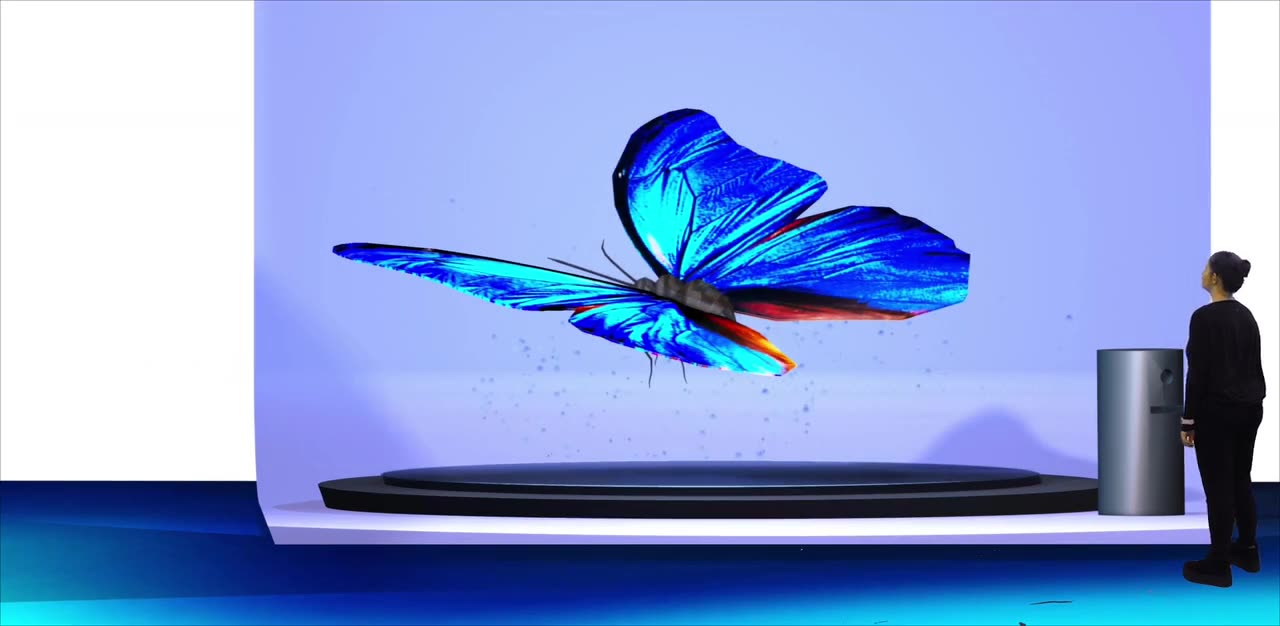
To evoke awe as visitors witness the dramatic emergence and the beauty of the butterfly stage.
Experience
Visitors watch their personalized butterfly emerge in vibrant detail, then bid it farewell as it lifts off to join the larger swarm.
Key Learning
Visitors explore the butterfly’s anatomy, adaptive traits, and native habitat, gaining a broader sense of biodiversity and the environmental pressures the species faces.
Meet Your Butterfly
This space projects your butterfly at a large scale, giving you a chance to observe its colors, wings, and patterns up close.
Capture the Moment
Take a photo with your butterfly to save the moment and create a memory you can carry beyond the exhibit.
Butterfly Discovery Wall Display
Want to know more? Explore your fully emerged butterfly through an informational wall display.
Learn how each station choice you made changed the appearance and attributes of your companion.
Learn about the species’ endangerment status and the current pressures impacting its environment.
Final Release
Say goodbye to your companion and enter the butterfly conservatory.
Final Thoughts
This project followed a fast-paced timeline that pushed us to move quickly into our visual exploration. The research on leveraging the epistemic emotion of awe provided strong theoretical grounding, allowing us to focus on designing awe-inspiring moments of beauty that were especially rewarding to craft visually. Moving forward, I would love to expand the experience by addressing multi-user functionality: creating interactions that feel individual without being isolating and exploring moments where companions engage with one another.